Trending Topics

 Trending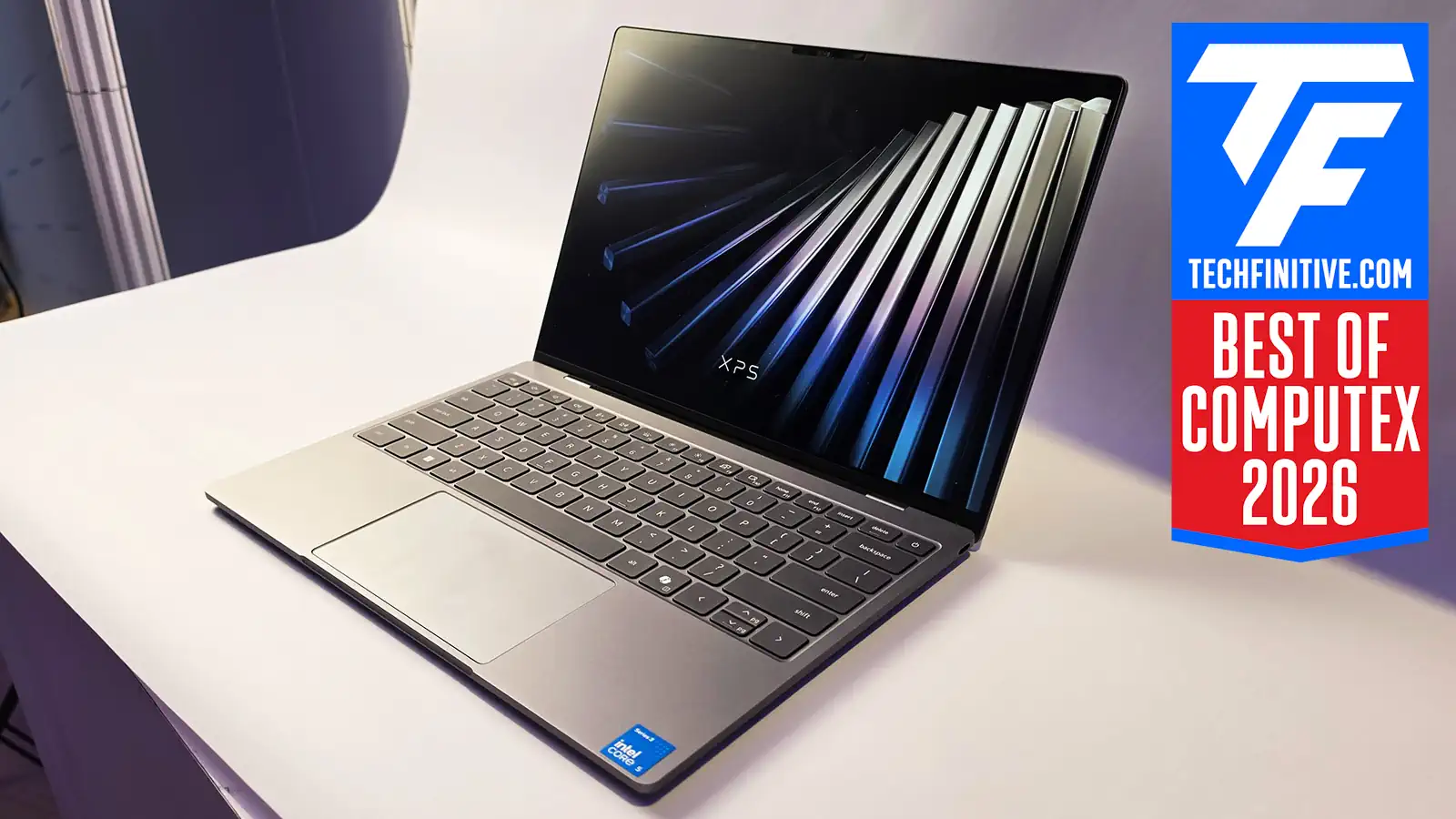
First-look review: 8 reasons the new 2026 Dell XPS 13 is ideal for businesses

I was lucky enough to spend time with the new Dell XPS 13 at Computex 2026, and to speak to one of Dell’s product experts to delve into the details. I won’t hide that I’m extremely impressed by this little ultraportable: it even made our Best of Computex 2026 list.
Here, I delve into the 8 reasons why businesses should consider adding it to their shortlist. But before you rush to add it to your must-buy list, there’s also one reason why some businesses shouldn’t touch it.
Staggering value for money
To look at, to feel and hold, you wouldn’t know that the 2026 Dell XPS 13 is a budget laptop. This is a full-metal CNC aluminum chassis, and it’s incredibly compact and light (1kg). I would never have expected such a solid, high-quality laptop to cost as little as $699 ($599 for education) until the MacBook Neo came along. (I’ve written a separate article on that laptop’s business merits.)
That price is for the bottom-end machine, of course, but that brings me to the next reason to buy the new 2026 Dell XPS 13 for businesses…

The new Dell XPS 13 is going to be fast enough for typical office use
Dell builds the new XPS 13 around Intel’s latest Core Series 3 (codenamed Wildcat Lake) and Core Series Ultra 3 (Panther Lake) chips. That means they use Intel’s newest cores with excellent efficiency and strong day-to-day performance.
The $699 base machine includes a Core 5 Processor 520, with six cores in total: two are Performance-cores, four are Low Power Efficient-cores. And while I’m yet to test a laptop containing this chip, I can assure you that Windows 11 will feel extremely responsive.
Now, the base unit will only include 8GB of RAM, but that’s fine for 80% of people. Sure, I’d prefer 16GB of RAM, and you may see the occasional stutter, but you can always step up the range if you need more grunt.
You get at least 512GB of storage
At the time of launch, Dell will be selling the base model with a 512GB SSD. That’s twice as big as the MacBook Neo’s and frankly a big surprise to me. However, Dell’s spec sheet says that a 256GB version will be announced “post launch”, so there’s a chance that the bigger SSD is for early buyers only. We’ll see.
The Core Ultra version will include up to 1TB of storage, which feels like plenty for such a lightweight machine. All the SSDs should be fast, too, as they meet the PCIe Gen4 standard. Not the fastest available, Gen5, but it’s a relief to see Dell avoiding the cheap route of eMMC storage.
Lack of Copilot+ PC support really doesn’t matter
If you buy the base version then its Core Series 3 chip only includes a 16 TOPS NPU. Which means it doesn’t support Microsoft’s Copilot+ PC features such as Recall. I think most business users can live with that hardship.
If you really want a fast NPU, one rated at 59 TOPS, then buy the Core Ultra 7 Processor 355 version of the Dell XPS 13. This has double the number of Xe-cores powering the GPU – four rather than two – so it will be far quicker in any app that takes advantage. Games being the most obvious!
There’s a backlit keyboard

Normally I wouldn’t get excited about a backlit keyboard in a business laptop, but famously the MacBook Neo doesn’t include one. If you travel a lot, or simply find yourself working in darker environments, then you’ll genuinely appreciate this feature.
As for the Dell XPS 13’s keyboard… well, it’s fine. There’s only 0.8mm of travel, but I still felt it responded well to my key presses. You might not get up to your full speed, but it should be close. And there’s no sign of bending on the backplate, which I sometimes see on cheap laptops.
The other big plus is that the trackpad is so nice and large. Certainly big enough to navigate the screen. You don’t get fancy haptic features, but frankly those can be annoying so I don’t think it matters.
There’s a high-quality, high-res touchscreen
Now I’m not fussed about a touchscreen on a business laptop. It’s nice to have, and I probably use mine a couple of times per day when I’m on the move, but I see it as one more thing that can go wrong. Still, I know that others love it, and the Dell expert I spoke to pointed out that touch could be deactivated. A fair point, if you’ll excuse the terrible pun.
More importantly, it’s a proven and high-quality display that Dell has lifted from its existing Dell XPS 13 line (released two years ago). You get superb colours, excellent brightness and astonishing sharpness; a 2,560 x 1,600 resolution is sharper than the MacBook Neo and I’d wager sharper than you’ll find on any laptop at this price.
Working on a top-quality screen is an absolute must for a business user, so I can’t applaud this enough.
USB-C support for external screens and docks
You’ll find one USB-C port on either side of this little laptop, and if you buy the Core Ultra version then it even supports Thunderbolt 4. That brings a handy helping of versatility via docking stations, much of it due to the all the juicy bandwidth that Thunderbolt 4 offers.
The entry-level version supports USB 3.2 Gen2, which doesn’t offer as much bandwidth: 10Gbits/sec rather than 40Gbits/sec. But you can still connect a 4K display to both USB-C ports for an impressive setup.
Both ports support power delivery, too, and you can even use a Kensington Lock USB-C PortLock if you want to keep these laptops secure at a desk.
All-day-battery life
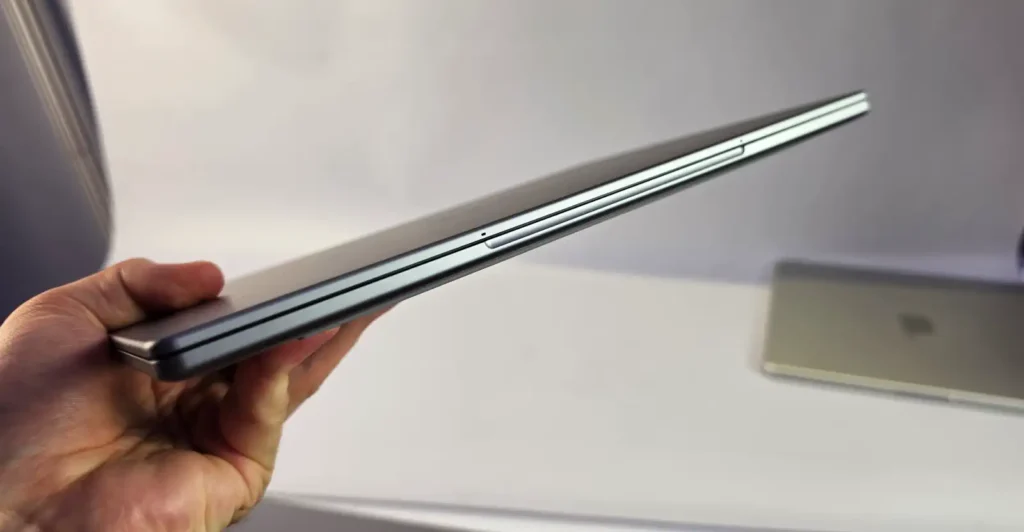
Dell squeezes a 52Wh battery into this 12.7mm-thick laptop, and while I can’t guarantee that you’ll get a day’s worth of battery usage I suspect most people will. Unless they slam the screen up to its full 500 nits and game all day.
Dell says that it is “targeting up to 17 hours of video streaming”, which in my experience equates to around eight hours of proper work.
It’s also great to see Dell provide a slimline GAN USB-C adapter rather than a bulky, old-fashioned “rat and tail” power supply.
All the bases covered
I haven’t tested the webcam, speakers or mics, but Dell has all these areas ticked: 1080p, and supporting Windows Hello; four speakers for a total 8W peak output; a dual-mic array. I expect them to all be solid but not world beating.
It’s also great to see that Dell continues to push the use of recycled materials here, from the 100% recycled or renewable packaging to the use of 70% recycled aluminium in the top cover. This has helped it to EPEAT Gold with Climate+ designation.
And one reason not to choose the new 2026 Dell XPS 13 as a business laptop…
There is only one compelling reason not to add the 2026 Dell XPS 13 into your list of laptop options: it doesn’t support Intel vPro. That means remote management will be tougher, which could be an issue if we ever see a repeat of the CrowdStrike outage.
By the way, I recommend you read my interview with Intel’s Jen Larson from MWC 2026 on how Intel is making vPro easier to activate if you already own compatible laptops.
The other drawback of the new XPS 13 is that it will only come in a handful of configurations. If you want choice, greater power and better manageability then consider the full-blooded Dell XPS 14 and 16 instead. Of course, other laptop manufacturers are available too…
For more background on these laptops, and Dell’s aims for 2026, read my report on why it resurrected the XPS brand.
About The Author

Tim Danton
NEXT UP


