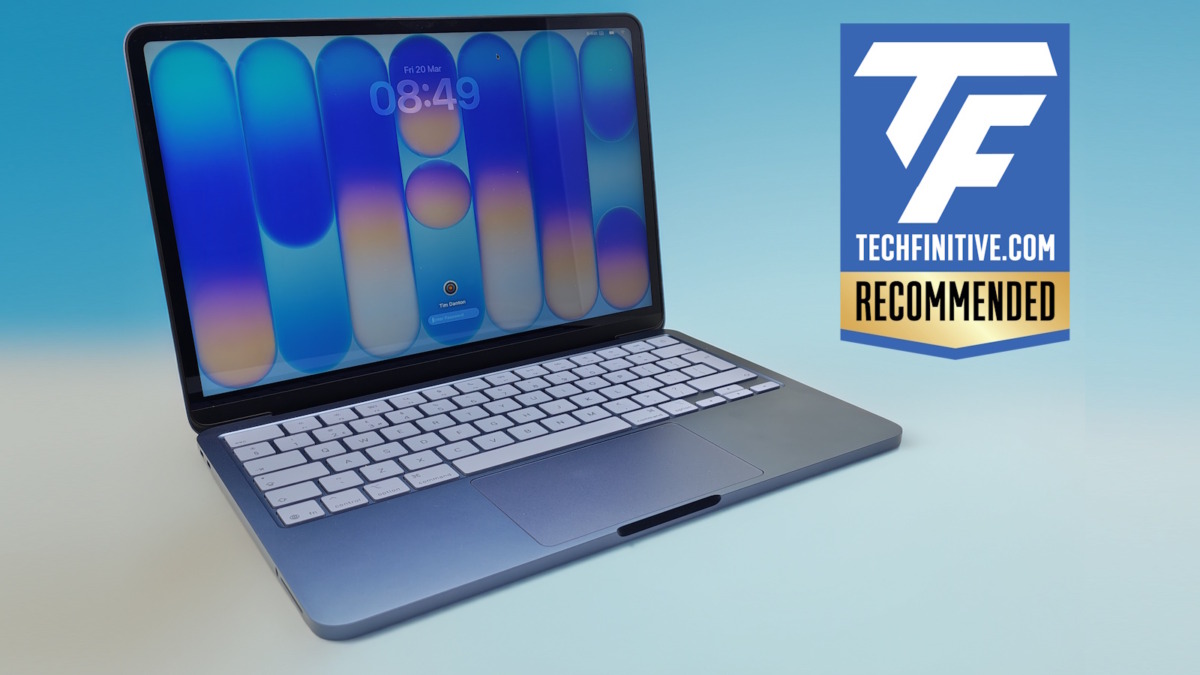
There has been much talk about the Apple MacBook Neo in education. Could this be the low-cost laptop to usurp Chromebooks and budget Windows notebooks in the classroom? Well, quite possibly, but here I’m going to tackle how it fares as a budget, business laptop.
You’ll learn the MacBook Neo’s strengths and weaknesses as a physical entity, but just as importantly I’ll cover why businesses should now add the whole MacBook line to their list of laptops to buy.
Why should businesses care about the Apple MacBook Neo?
The price
The Neo’s key attraction to businesses is simple: its price. Strip out VAT or local taxes and you’re buying a superbly built laptop for $599 or £499 (US and UK). If you want 512GB of storage rather than the baseline 256GB, that’s $699 and £583.
Business users may well find that 256GB is enough. Even after installing Microsoft Word, Excel and Adobe InDesign, there was around 115GB of storage free on my system. However, that base MacBook Neo doesn’t include Touch ID (nor does the webcam support Face ID), and that will cause issues in businesses that rely on biometric security and passkeys.
In general, I recommend that larger businesses only buy the more expensive version of the MacBook Neo for this reason.
It’s built like a brickhouse and is repairable
One of Apple’s greatest achievements is to build a high-quality laptop for such a low price. Its robust magnesium alloy chassis is a match for the more expensive MacBooks, and I’m confident that the MacBook Neo will last for five years and more.
Another big plus point here is that you can actually replace parts. If someone drops coffee on the keyboard, breaks the screen or you find the battery needs replacing, everything is repairable. You will need equipment and repair skills to do this safely, so if you’re unsure then give the MacBook Neo to a professional repairer, but if you have an in-house team then they will be able to take care of repairs so long as they can source replacements.
It’s slick
Despite the fact that the MacBook Neo is based upon the same processor as the iPhone 16 Pro, it also more than enough power to keep most workers happy. This emphasises what a slick job Apple has done with macOS, because on paper the A18 Pro chip is far from being a powerhouse.
You can see this in its scores in benchmarks. While the MacBook neo returned an excellent 3,589 in Geekbench 6’s single-core test, its 8,952 multi-core result is roughly half as fast as the M5 MacBook Air.
But that’s not what matters. The Neo runs every app I tried smoothly, whether that’s Pages, Adobe InDesign, Word or Excel (including creating pivot tables). Unless you are a “power user”, you will find this machine runs just as well as a Windows laptop costing four figures.
To add to that slickness, it’s silent because there are no fans. Oh, and unlike many Windows laptops, it doesn’t drop power to the CPU to save energy when on battery power, so it’s as fast on the move as it is on a desk.
The MacBook Neo looks pro
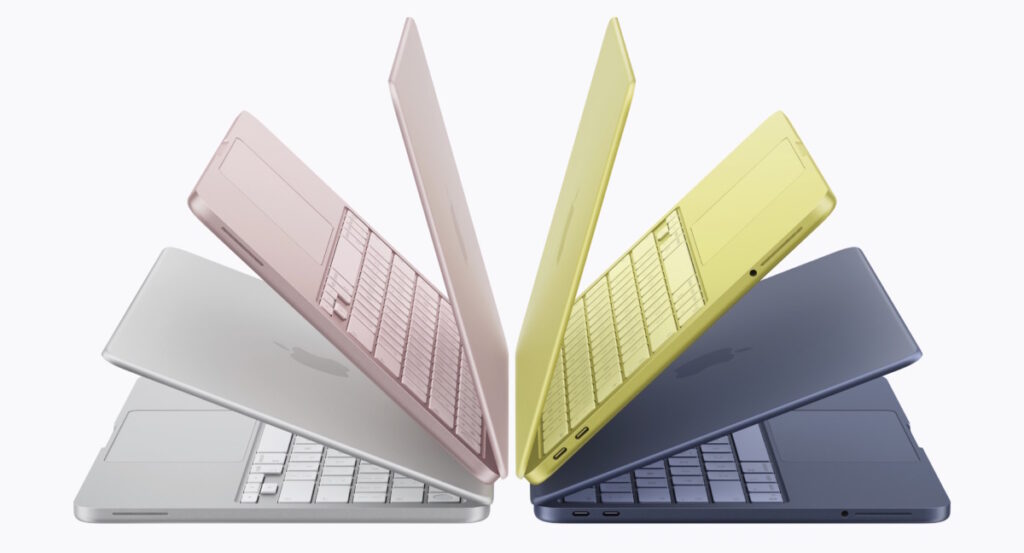
The Apple MacBook Neo comes in four colours (image: Apple)
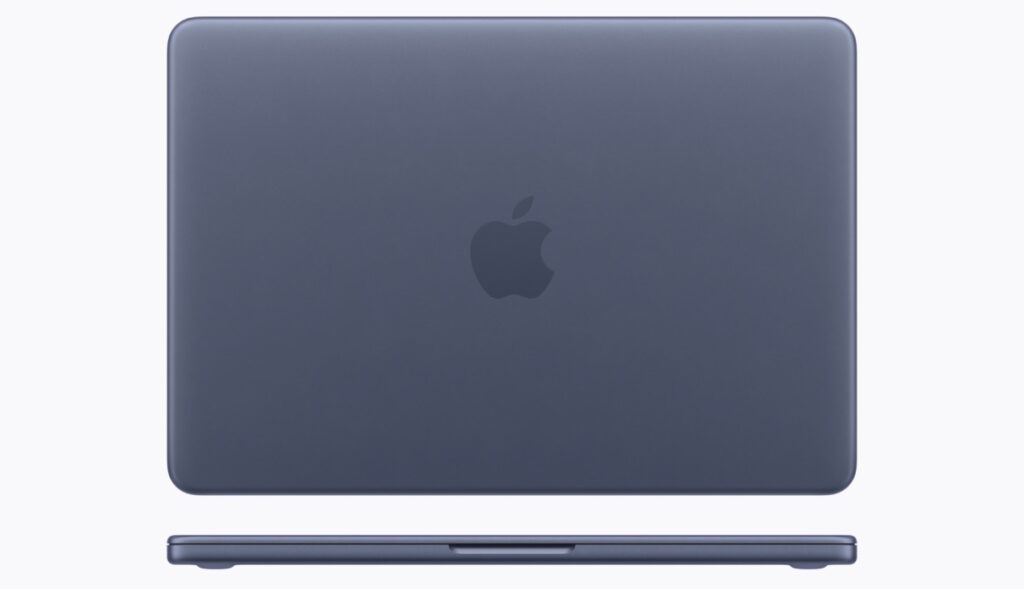
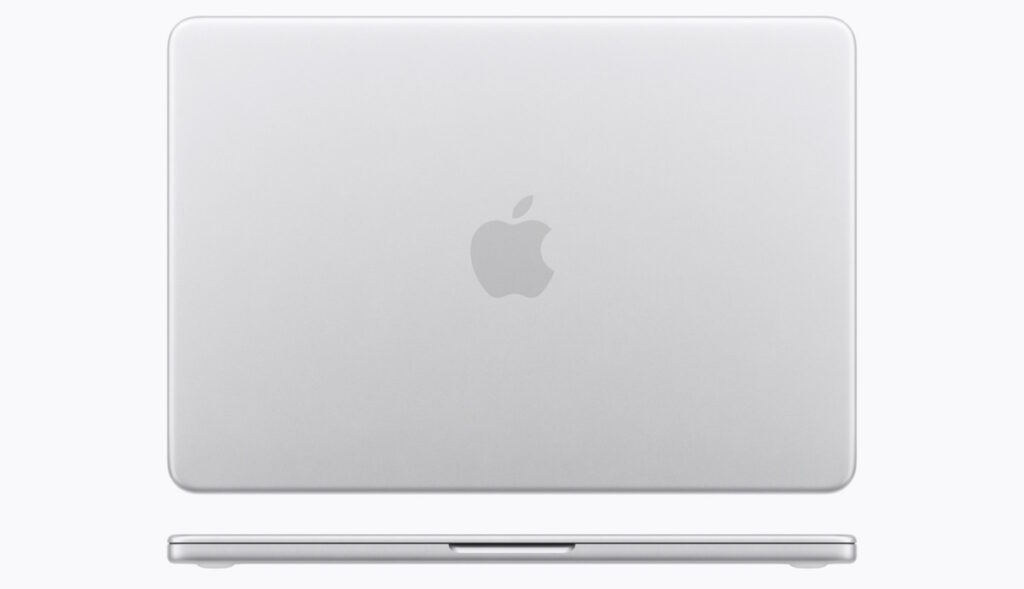
While you can buy the Neo in jazzy yellow (Citrus) or pink (Blush), it’s available in two professional-looking colours too: blue-purple (Indigo) and sober grey (Silver). For this review, we bought the Indigo version and I’d be more than happy to bring it into business meetings.
The only downside is that the MacBook Neo is so famous for being cheap that people may make judgements about you!
Perfectly good webcam and mics
Apple’s high-end MacBooks include Center Stage 12MP webcams that can follow you round and keep you at the centre of the image. For the MacBook Neo, Apple goes back to basics with a simple 5MP (1080p) FaceTime HD webcam that simply produces a pleasant, well-balanced image. I’d be more than happy for this to be my daily webcam on calls.
There’s nothing fancy about the mic setup either, but it does the job well. Where you may struggle is in busy situations as it’s not as good at reducing background noise as AI-assisted mics on Windows laptops, but 90% of the time this shouldn’t be an issue.
The speakers are fine too. Nothing to shout about, especially compared to the brilliant speaker systems in high-end MacBooks, but you can listen to music on the Neo without destroying all your favourite tracks.
GraphiteSilver
Perfectly good screen too
I’ve tested many budget Windows laptops over the years, and often the biggest sacrifice is to the screen. Not so here. This is still a Retina display, which in Apple’s terminology means that you can’t see pixels. It really is exceptionally sharp.
It also goes bright, up to 512 nits in my tests. What you don’t get is an amazing amount of colour coverage, covering 95% of the sRGB colour space and roughly 80% of the DCI-P3 space. That means it isn’t as punchy as an OLED panel, again found in many Windows laptops, but colours still look good. That includes whites, too.
The big sacrifice here is simply screen size. A 13in panel isn’t terribly big, and you’ll struggle to view two windows side by side. I’ll come back to this in the “Downsides of the Apple MacBook Neo” section, but for now let’s move on to a related positive…
Your portable friend
If you’re giving this laptop to a staff member who’s often away from their desk, they may well love you forever. It’s not super-light at 1.2kg, but it’s still light enough. More to the point, the Neo is incredibly compact, with a width and length equivalent to an A4 sheet of paper.
What’s more, the optional 20W power supply is basically the size of a British plug, and you probably won’t need it anyway. So long as you don’t pump up the screen to full brightness, the Neo should easily last for a full day – roughly ten hours in my tests.
The MacBook Air and Pro will last longer as they have bigger batteries.
What business users won’t like about the MacBook Neo
Unexceptional keyboard and touchpad
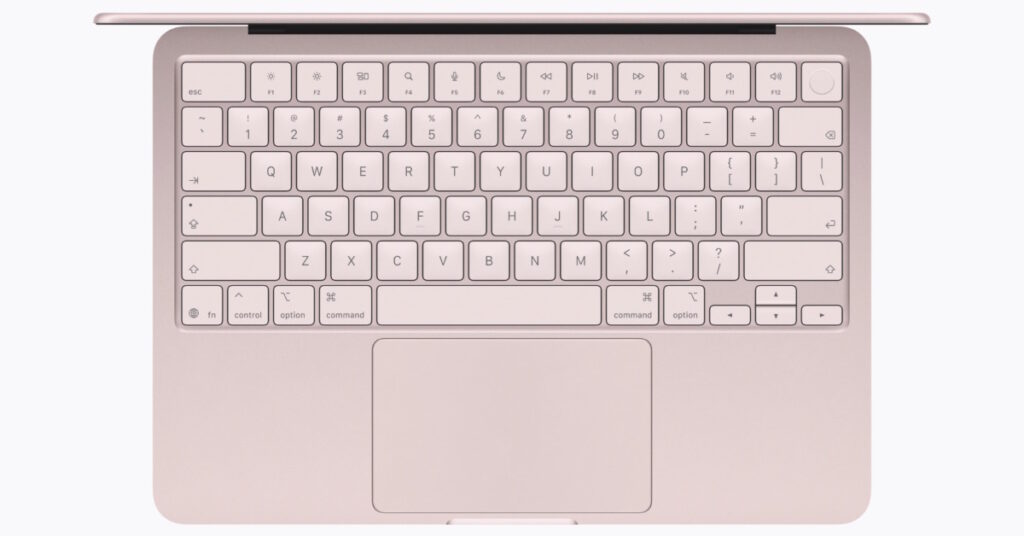
The Apple MacBook Neo keyboard is fine but lacks a backlight (image: Apple)
There are a couple of obvious sacrifices that Apple has made to keep the Neo’s price down. One is that there isn’t a backlight on the keyboard, and that can be annoying. For example, if you’re typing away on a plane or simply working late and can’t be bothered to switch on a light.
Nor do the keys have much travel or cushioning. This is a functional keyboard, and it’s actually surprisingly good for the price. But, as you can perhaps tell, I didn’t love typing on it.
I would also draw your attention to the half-height cursor keys, which are especially irritating as I find myself reaching for these far more in macOS than I do in Windows due to the skinny navigation bars Apple prefers.
This brings me to the compact touchpad, which is again functional rather than slick. It works, but I found myself clicking down harder than normal to hit a button.
Glossy screen
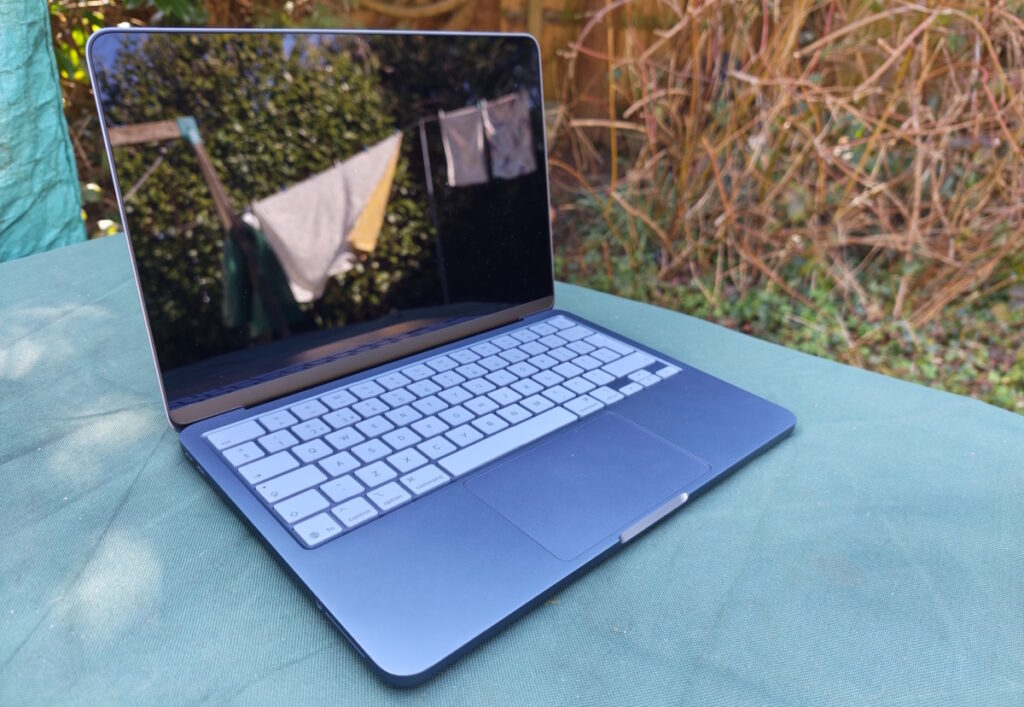
A glossy screen helps lift colours but also brings reflections (image: Tim Danton/TechFinitive)
I also think the glossy screen could be an issue for some. It’s fine most of the time, but on occasion I found myself annoyed by the reflection of overhead lighting in my office.
Limited ports
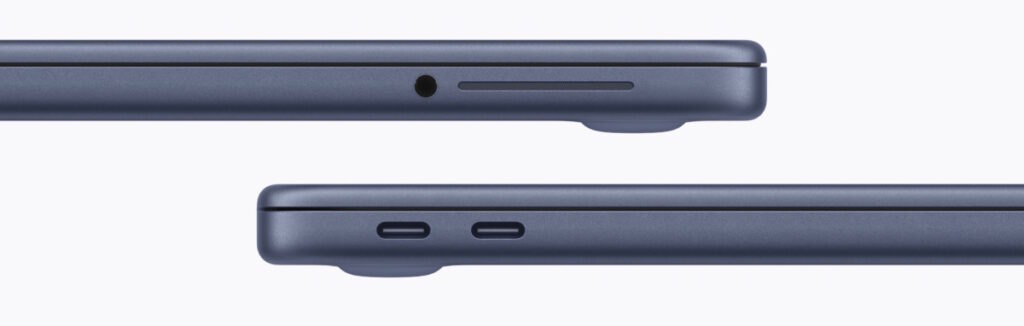
A third drawback is the limited number of ports. If you were hoping to connect two monitors to this MacBook then you’re out of luck. It supports one external display, up to 4K at 60Hz, but that’s it. The second USB-C port is really just there for charging, as it’s stuck at the outdated USB 2 speeds.
Apple MacBook Neo ports: two USB-C, one 3.5mm jack and that’s it (image: Apple)
That it runs macOS?
You may also get pushback from users who are familiar with Windows and take time to adjust to macOS. However, I think that will be a temporary moan. While some aspects of macOS are counter-intuitive to long-term Windows users, people should be able to adjust. After all, they get on with iPhones and iPads perfectly okay.
Can the IT department manage Macs easily?
Management of devices can quickly become a hassle for growing businesses, while larger organisations will already have mobile device management systems in place. I can understand why many won’t want to mix things up by adding a different OS into the system, and that’s a perfectly good reason to steer clear of the Neo.
However, Apple does provide tools to help IT teams manage Macs. Enterprises are particularly well supported, as a visit to Apple’s Enterprise page will reveal. Small businesses can also sign up for support at Apple’s Small Business page.
Before you buy the MacBook Neo, I recommend you get in touch with someone from Apple via those pages to talk through the options.
Should you buy the MacBook Neo for business?
This is an interesting move for businesses. Until now, MacBooks weren’t a feasible choice for any company on a tight budget per person: your only route, if looking for a MacBook around the £600/$600 mark, would have been to buy refurbished. There’s nothing wrong with that option, but I can understand why people prefer to buy new.
But now, you have a simple three-tier strategy if you wish to equip your business with MacBooks. The bottom range is the perfectly adequate MacBook Neo. Next up, the MacBook Air, which will frankly do for pretty much everyone now that it features an M5 chip. And demanding users, those who will use all the power within, have the MacBook Pro M5 Pro and M5 Max to choose from.
All of which means that I will give a cautious recommendation for the MacBook Neo for businesses. It offers an astonishing amount of quality and speed for the money.
Tim has worked in IT publishing since the days when all PCs were beige, and is editor-in-chief of the UK's PC Pro magazine. He has been writing about hardware for TechFinitive since 2023.
To provide the best experiences, we and our partners use technologies like cookies to store and/or access device information. Consenting to these technologies will allow us and our partners to process personal data such as browsing behavior or unique IDs on this site and show (non-) personalized ads. Not consenting or withdrawing consent, may adversely affect certain features and functions.
Click below to consent to the above or make granular choices. Your choices will be applied to this site only. You can change your settings at any time, including withdrawing your consent, by using the toggles on the Cookie Policy, or by clicking on the manage consent button at the bottom of the screen.
Functional
Always active
The technical storage or access is strictly necessary for the legitimate purpose of enabling the use of a specific service explicitly requested by the subscriber or user, or for the sole purpose of carrying out the transmission of a communication over an electronic communications network.
Preferences
The technical storage or access is necessary for the legitimate purpose of storing preferences that are not requested by the subscriber or user.
Statistics
The technical storage or access that is used exclusively for statistical purposes.The technical storage or access that is used exclusively for anonymous statistical purposes. Without a subpoena, voluntary compliance on the part of your Internet Service Provider, or additional records from a third party, information stored or retrieved for this purpose alone cannot usually be used to identify you.
Marketing
The technical storage or access is required to create user profiles to send advertising, or to track the user on a website or across several websites for similar marketing purposes.
To provide the best experiences, we use technologies like cookies to store and/or access device information. Consenting to these technologies will allow us to process data such as browsing behaviour or unique IDs on this site. Not consenting or withdrawing consent, may adversely affect certain features and functions.
Functional
Always active
The technical storage or access is strictly necessary for the legitimate purpose of enabling the use of a specific service explicitly requested by the subscriber or user, or for the sole purpose of carrying out the transmission of a communication over an electronic communications network.
Preferences
The technical storage or access is necessary for the legitimate purpose of storing preferences that are not requested by the subscriber or user.
Statistics
The technical storage or access that is used exclusively for statistical purposes.The technical storage or access that is used exclusively for anonymous statistical purposes. Without a subpoena, voluntary compliance on the part of your Internet Service Provider, or additional records from a third party, information stored or retrieved for this purpose alone cannot usually be used to identify you.
Marketing
The technical storage or access is required to create user profiles to send advertising, or to track the user on a website or across several websites for similar marketing purposes.

 Trending