Trending Topics

 Trending
Luminar Flex review: does this plugin make Photoshop and Lightroom better?

Photographers never stop looking for ways to improve their images. Of course, getting it right in-camera is the ultimate answer, but even the best photographers fall back on post-processing. Enter Skylum’s Luminar Flex plugin: a version of the company’s Luminar software that is designed to work as a companion for Adobe Photoshop and Lightroom.
Its chief selling point is a range of filters, designed to give landscapes greater impact and portraits more punch. But does it do anything that Photoshop and Lightroom don’t already offer? Let’s find out.
Pros
- Great at boosting landscapes
- Adds layers to Adobe Lightroom
- Flawless integration with Adobe’s software
Cons
- Expensive if you only need one or two filters
- A lot of feature duplication with Lightroom
- You must pay more for extra filters (or Looks)
Luminar Flex review: installation
Installation is straightforward. The installer asks which of Adobe’s products you want to add Flex too and then goes quietly about its business. It’s compatible with full-blown Photoshop, Photoshop Elements and Lightroom – both for Windows and Mac. Lightroom users should note it only works with the Classic version of the app, not the newfangled Lightroom CC.
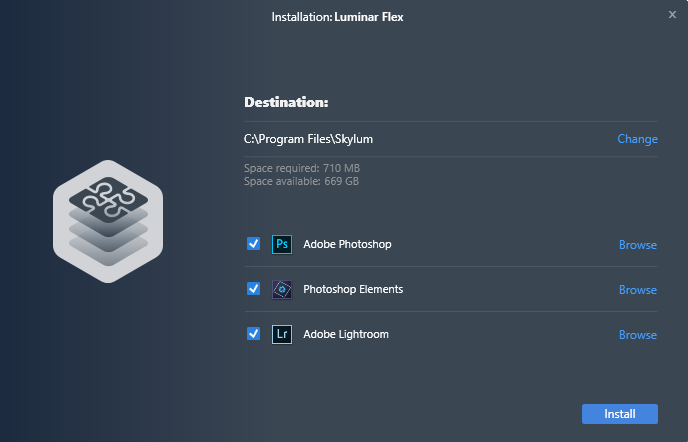
Once installed, you’ll be forgiven for thinking something went wrong, because when you open Photoshop or Lightroom, there’s no sign of the newcomer. It is there, it’s just tucked out of sight.
To edit a photo with Luminar Flex in Lightroom, for example, you must right-click on the photo in the Library or Develop modules, and select “Edit In”. Luminar Flex should be there among the options.
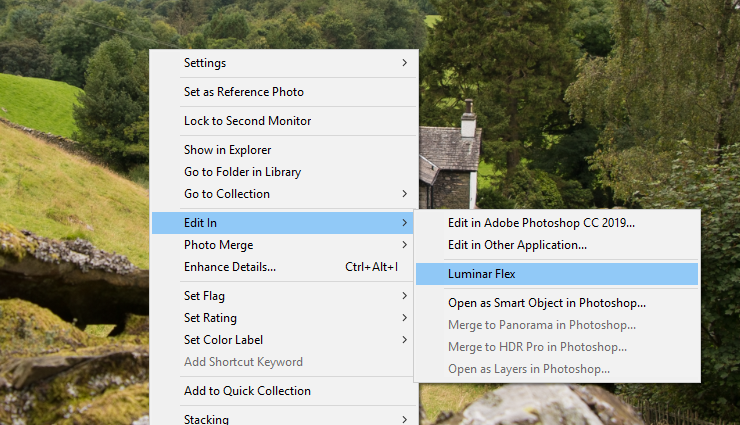
When you choose to edit a photo in this way, Lightroom will (by default) create a copy of the chosen image. The Luminar Flex window will open and you can make as many edits as you like, before committing them with the Apply button.
Once the edits have been applied, Flex shuts down and you can continue working on the photo in Lightroom if you wish. This is handy because some of Lightroom’s tools (dodge and burn, for example) are much easier to use than Luminar’s.
If you’re editing in Photoshop, you open the Luminar editor by selecting Filter from the top menu and then clicking on Skylum Software > Luminar Flex.
Luminar Flex review: what’s it good for?
Lightroom already has an extensive set of filters (or presets) and you can add as many as you like, many of which are free to download online. So why would you pay Skylum for more? In this case, that’s the £65 question.
Luminar’s great strength is adding impact to landscapes. The AI Sky Enhancer is particularly strong, boosting the blues in skies and giving clouds more impact. It can instantly transform a leaden landscape into something quite dramatic, as you can see from this before and after shot.
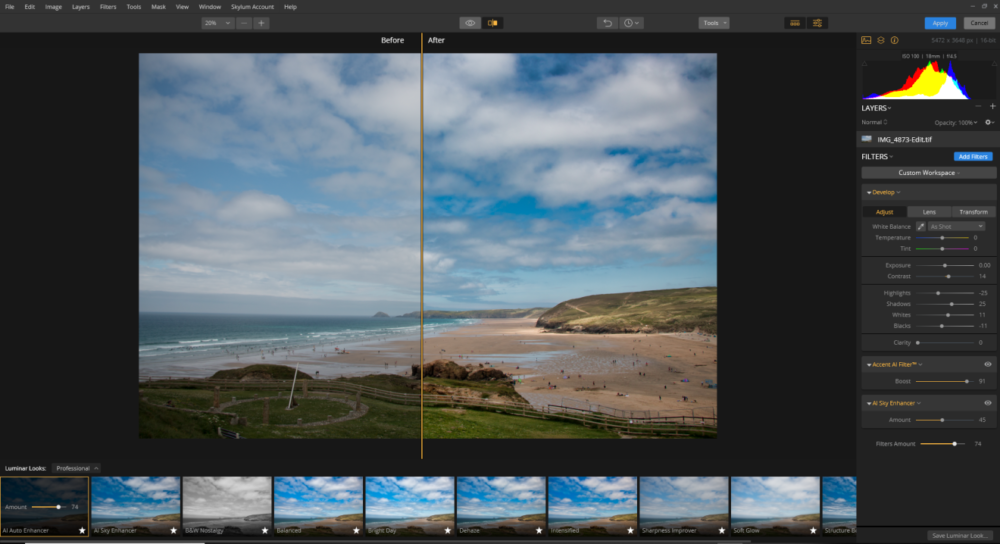
These so-called Looks tend to over-egg the effect, but each is adjustable. You can claw back the overall impact of the Look or individual filters, such as contrast and vibrance, until you get the effect just right.
The Looks are broken down into categories, such as Landscapes, Portraits, Creative and B&W Film Emulation. Overall, there are about 70 Looks to play with, but you can create and save your own by twiddling with the individual filters such as grain, tone and vignette.
There’s also a selection of clever effects filters, such as sunrays, which can again add a splash of life to otherwise humdrum shots. And unlike many of the lens-flare type effects I’ve toyed with in the past, these look convincing (see below).
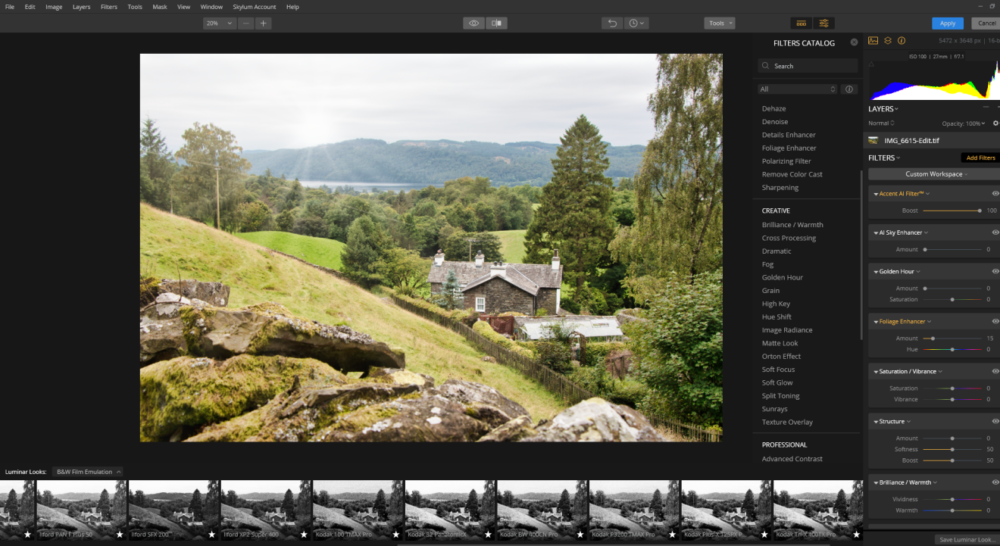
The bundled Portrait Looks are less impactful, and here you’ll find a lot of crossover with presets that are already bundled with Lightroom, including matte look, soft focus and high key effects.
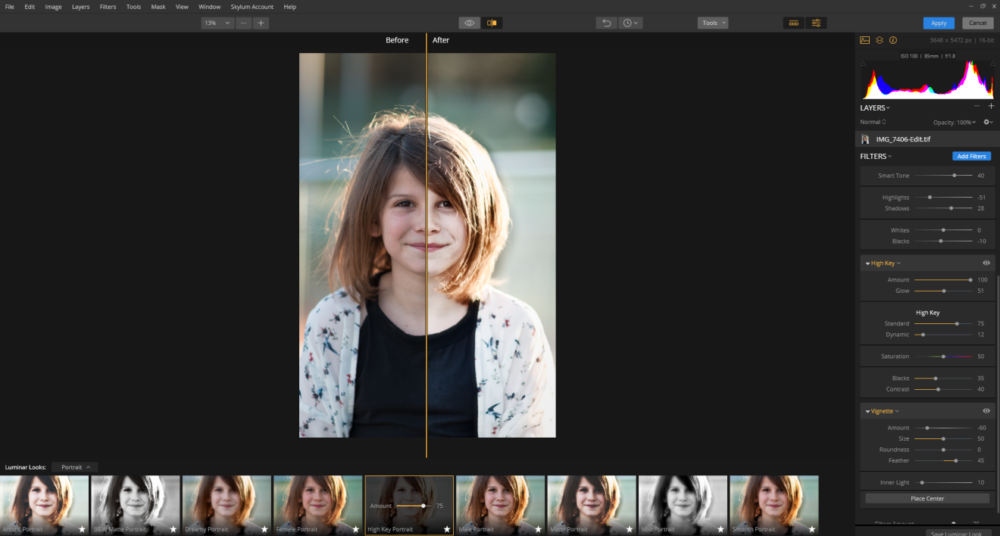
Skylum’s online store has bundles of extra Looks for sale, which sticks in the throat when you’ve already paid £65 for the plugin. Even worse, it’s hard to judge exactly what you’re getting in each pack until you’ve stumped up – but then the same could be said for many of Lightroom’s presets.
Luminar Flex review: the verdict
Would I pay £65 for the Luminar Flex plugin? That’s a tough call. I like many of the filters, particularly those that deal with landscapes. One thing I didn’t mention above is that Flex allows you to work in layers – something Lightroom itself doesn’t offer – so you can experiment with different filters and then simply wipe them away if you’re not happy, or stack multiple layers on top of one another.
That said, for me there’s too much crossover between what Lightroom and Luminar Flex do to make this a must-have.
I think there’s a more compelling case for people who touch up their photos in Photoshop, but don’t really bother with Lightroom, because there’s much less feature duplication between these two packages and the plugin is integrated very smoothly. Watch the video below to see how Flex works with Smart Objects, for example.
Overall – and I’m aware this is a massive reviewer cop-out – the value of Luminar Flex very much hangs on your current workflow. The good news is you can try it out for free before you commit, by downloading the free trial from the Luminar website.
Related reading
About The Author

Barry Collins
NEXT UP