Trending Topics

 Trending
The nine things I learned from travelling to Hawaii and back with the Lenovo ThinkPad X1 Carbon Gen 14

“Hey Tim, you want to test the new ThinkPad X1 Carbon?” Not an unusual email for me to receive as I review laptops for PC Pro magazine – but it was unusual for this laptop to be shipped from the US to the UK. Which meant I could hang on to it for a month or two rather than the typical testing timeframe of two weeks.
With an upcoming trip to Hawaii, for Qualcomm’s Snapdragon Summit 2026, I decided to make this my primary computer for a while. And so began a journey across time, space and Windows.
Related: Qualcomm promises its first Linux laptops will be ready in 2027
Lesson 1: Windows’ migration remains woeful
My existing laptop was perfectly set up for my needs, so I figured this would be an excellent time to use Microsoft’s Windows “restore from a previous PC” tool. I checked that my system was fully backed up and then booted the Lenovo ThinkPad X1 Carbon into my usual Windows account. My existing setup was there, so I selected it and let Windows do its thing.
Now, if you migrate from one MacBook to another then it’s seamless. Apps, data, settings, the whole kaboodle copies across. With Windows, I ended up wondering what shifted. Certainly no apps, even the ones that I’ve dutifully downloaded from the Windows Store. Likewise I had to set up my email addresses in Outlook. I appreciate that five is probably three too many, but that’s my life…
Which brings me to lesson 2.
Lesson 2: The new Outlook is so bad it should be illegal
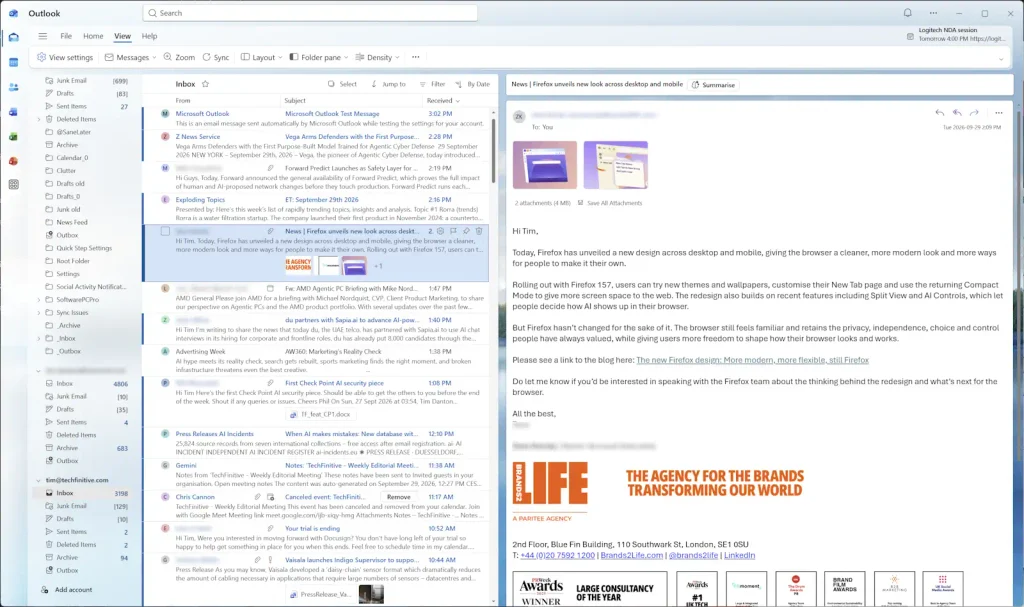
Just for the record, this will be the last moan as the next five lessons move on to Lenovo’s lovely hardware. But does anyone out there in the universe actually like the new Outlook? Email me, tim at techfinitive.com, if you fall into this unlikely category. And don’t work for Microsoft.
For a start, it’s a hot mess of meaningless colours. I fully applaud colour if they help you stay organised, if there’s a system behind them, but so far as I can see Microsoft has re-homed its errant AI xxxx and put it in charge of colour selection. My eyes don’t know where to look, I hate it.
I also dislike the fact I can’t set up email aliases. For one of my business accounts, I use the web host that looks after my domain and then forward email to a related Gmail address. The old Outlook, and all good email clients, allow you to set up an alias so that all email is sent as the official email address rather than Gmail. Not so the new Outlook.
The final Outlook annoyance: that I have to re-authenticate the email addresses every time I boot up Outlook. Give. Me. Strength. Or simpler, download “Classic” Outlook and return to sanity.
Lesson 3: Lenovo has nailed the form factor with the ThinkPad X1 Carbon
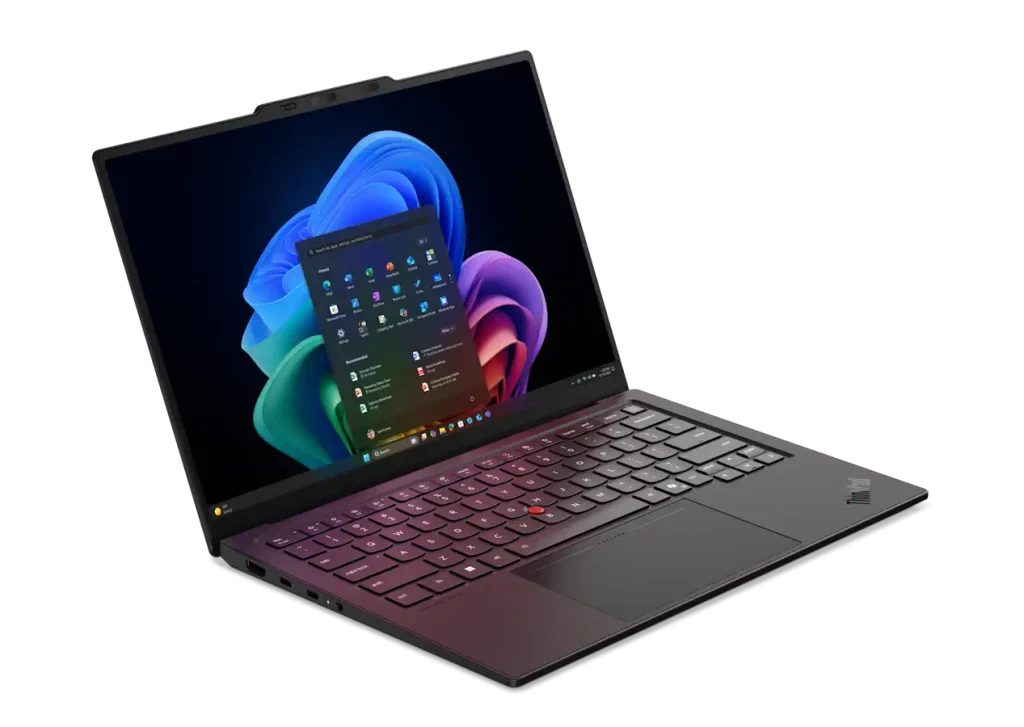
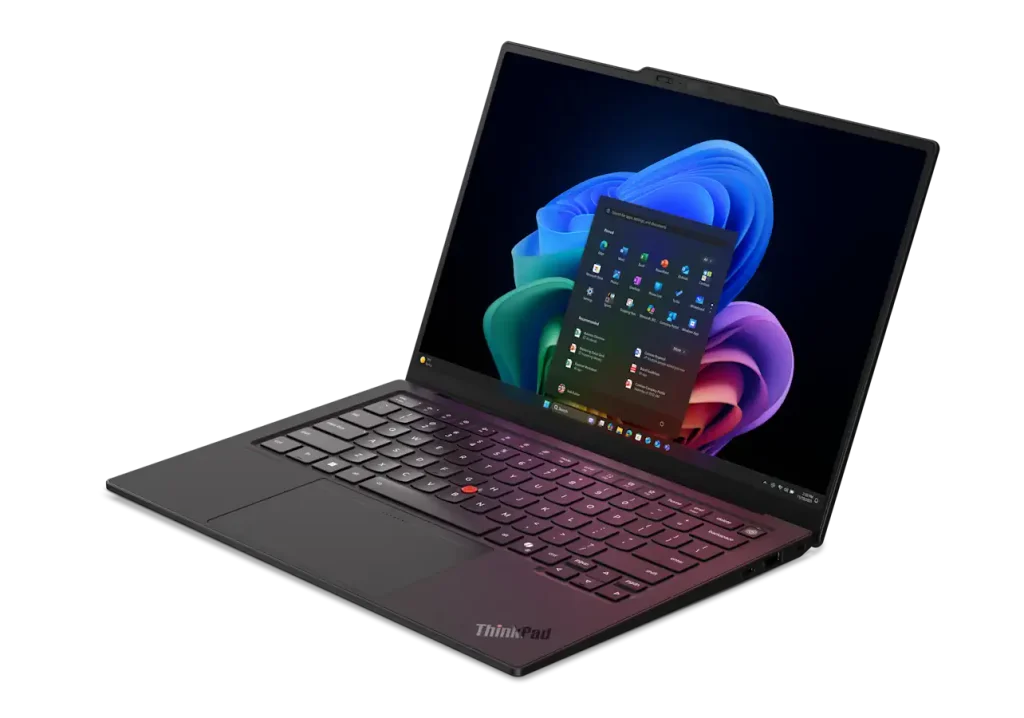
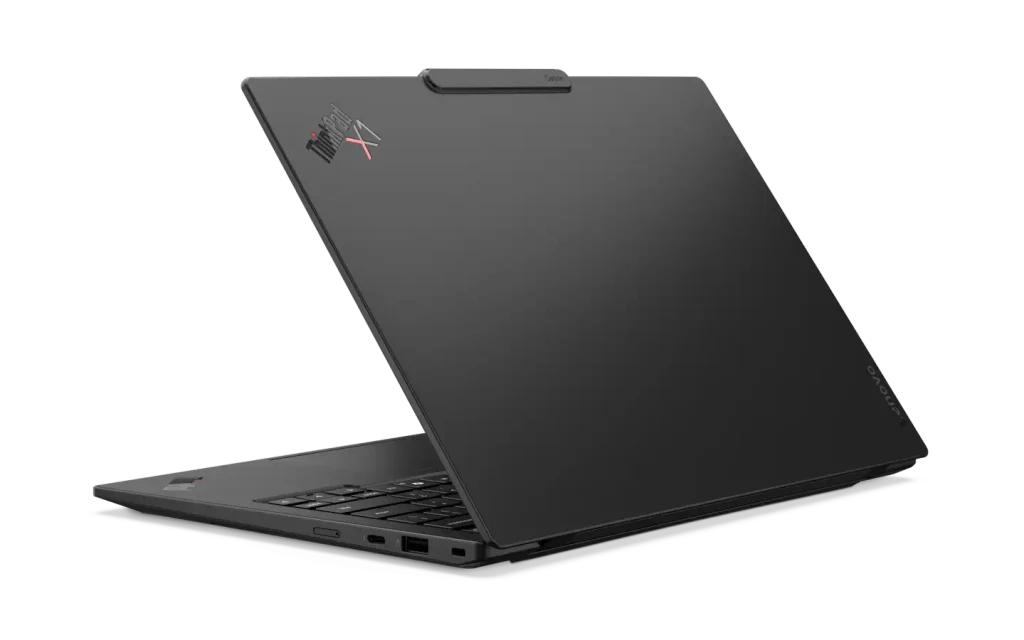
As I mentioned, I review a lot of laptops. That means the stream of stats about width, depth, weight and screen size can become abstract. So I’m going to resist stating what any of those are and simply say that Lenovo gets the mix just right.
This is a ridiculously light laptop. So light, so slender, that I could chuck it into my rucksack and forget about it. It was there when I needed it and barely noticeable when I didn’t, meaning I never regretted chucking the ThinkPad X1 Carbon into a bag.
Lenovo has also nailed the compactness. I’m typing this now in a United Airlines Economy cabin and still have plenty of room (as it happens the person in front of me didn’t push their seat back, but even so there’s space to spare).
Lesson 4: Battery life is good enough not to worry about
Battery life came up a lot during Snapdragon Summit, which isn’t a surprise as it’s one of Qualcomm’s biggest strengths. It’s also something I now struggle to care about.
A few years ago I would regularly check how much percentage was left, hunting out charging stations at airports, but in reality there is no chance at all that my energy reserves will outlast this ThinkPad’s.
If you want more concrete figures, I worked for around five hours in total across two flights on my way to Hawaii. I didn’t even think about recharging the laptop until I reached my hotel, where it still had around 50% charge.
Lesson 5: I could type on the X1 Carbon’s keyboard forever
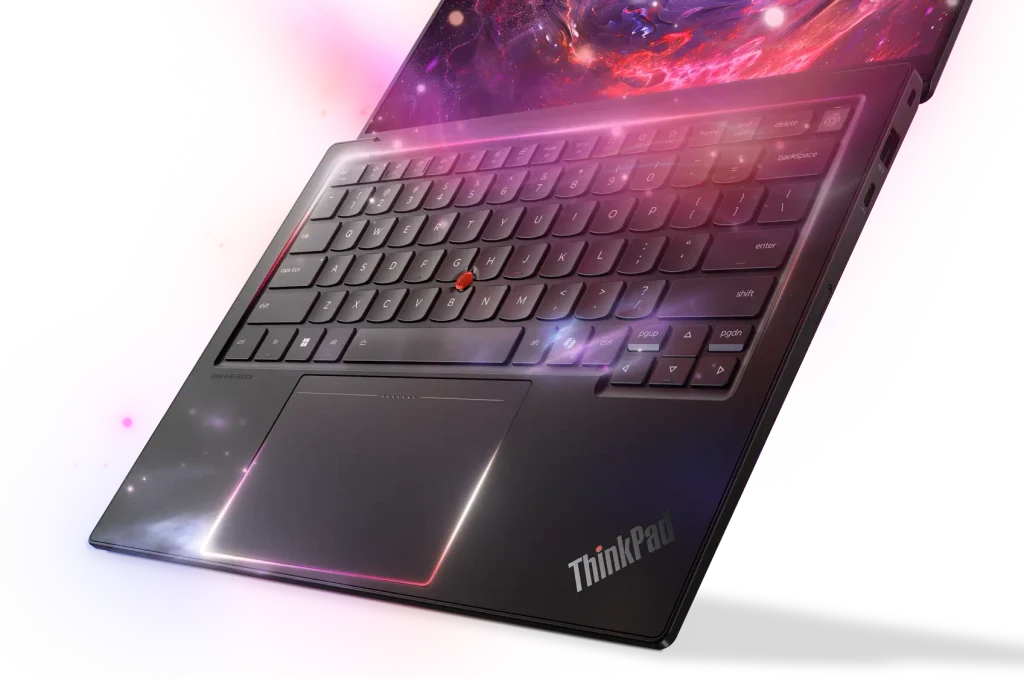
Rather than focus on specs, I would urge most buyers to think about comfort. I’ve already covered the physicality of this laptop, which feeds into this, but here I want to focus on the keyboard.
It’s something many manufacturers continue to get wrong. By this I mean squishy keyboards or ones that make you feel like you’re typing on a trampoline. You want resistance in a keystroke. Depth of travel. Something suitable for doing proper work, not typing out a quick memo.
Many laptop makers do a fine job here, but it still feels hit and miss. With a ThinkPad, you know that you’re going to benefit from a high-quality keyboard, no matter which model you buy.
And, as a final thought, I don’t think travellers can get away with a keyboard that doesn’t include a backlight. I love the ThinkPad’s as the light shines through the keys, making it easy to see each individual character; many backlights simply shine around the keys’ edges.
Lesson 6: OLED doesn’t matter as much as you might think
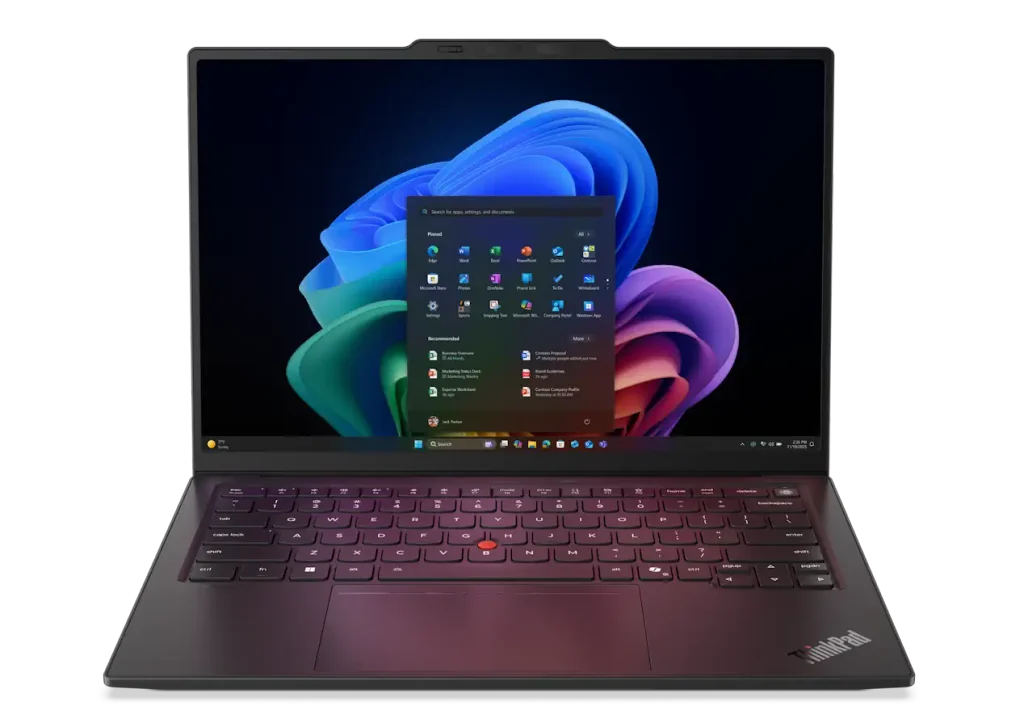
Lenovo sent me an X1 Carbon with an OLED panel, which is rapidly becoming the de facto standard for laptops. This does make a difference when it comes to high-impact photos and watching films (something I didn’t do on this trip), but in day-to-day work it matters not a jot.
In fact, there’s still one area where I prefer IPS and that’s my main working environment of Word, Excel and Google Docs. These all have a white background and I miss the purity of whites on the best IPS panels. There’s nothing wrong with the whites on the supplied OLED, but they aren’t the snowy white I love.
This is a 14in panel with a 2,880 x 1,800 resolution, which is probably a little overkill in terms of sharpness. You can definitely get away with 1,920 x 1,200 on a panel this size. All that said, when push came to shove, I would pay an extra £100/$100 for a higher resolution.
Lesson 7: Intel, AMD, Qualcomm… it’s not important in a laptop built for work
Having spent a few days in Qualcomm’s company, and literally drunk their Kool-Aid (disguised as free beer in after-hours drinks), it may not surprise you that I’d be happy to use its chips in my work laptop. Biased, you might say. And the company did pay for my flights and hotel, to Hawaii for goodness sake, so maybe this is payback time?
Well, no. I reviewed a ThinkPad X1 Carbon with a Qualcomm chip inside two years ago, and even then I felt it was a great choice for most users. My early hesitation was over app compatibility, and that’s still something to beware of if you use tools like Adobe Premiere or need to use a ten-year-old printer. Drivers for pension-age peripherals remain an issue.
But we’ve now reached the stage where all the major enterprise management apps support Windows on Arm (the version that Qualcomm chips use). The only area where it falls down is gaming, but do people really use business-supplied laptops for such things?
All of which makes me feel that the brand of processor inside your laptop has now massively dropped down the list of priorities.
Lesson 8: If you want to get serious work done, you need more than this
I only brought a mouse with me for this week-long trip. I could certainly have lived without it as the ThinkPad’s trackpad is extremely easy to use. Personally, I think the TrackPoint’s time is over, likewise the physical mouse buttons that sit above the trackpad, especially for compact designs like this where every square millimetre of space matters. But it’s not a deal-breaker.
There were times when I yearned for a bigger screen than 14in, but even a 16in or 18in probably wouldn’t be enough. No, I want a full-blown desk setup. If I could somehow have a 27in 4K panel delivered to my hotel room, or squeezed into my hold luggage, then I feel I could have kept on top of the daily deluge of email, Slack messages and other miscellaneous tasks so much better than I managed on a laptop.
Perhaps Apple and Samsung could stop mucking about with folding phone screens and give me a folding monitor instead.
Lesson 9: USB-A ports still matter


It’s 2026. The USB-A port first made its ugly debut in 1996. And yet, I still find myself using it. Right now, in fact, to charge my Kindle (the marketing giveaway 3-in-1 cable Acer gave me a few years ago is a constant in my carry-on bag). So while I fully appreciate the far faster Thunderbolt 4 ports on the Lenovo X1 Carbon Gen 14, I’m grateful that Lenovo keeps its legacy ports. Including an HDMI port, which I didn’t use this time but have done on previous trips.
Related articles
About The Author