Trending Topics

 Trending
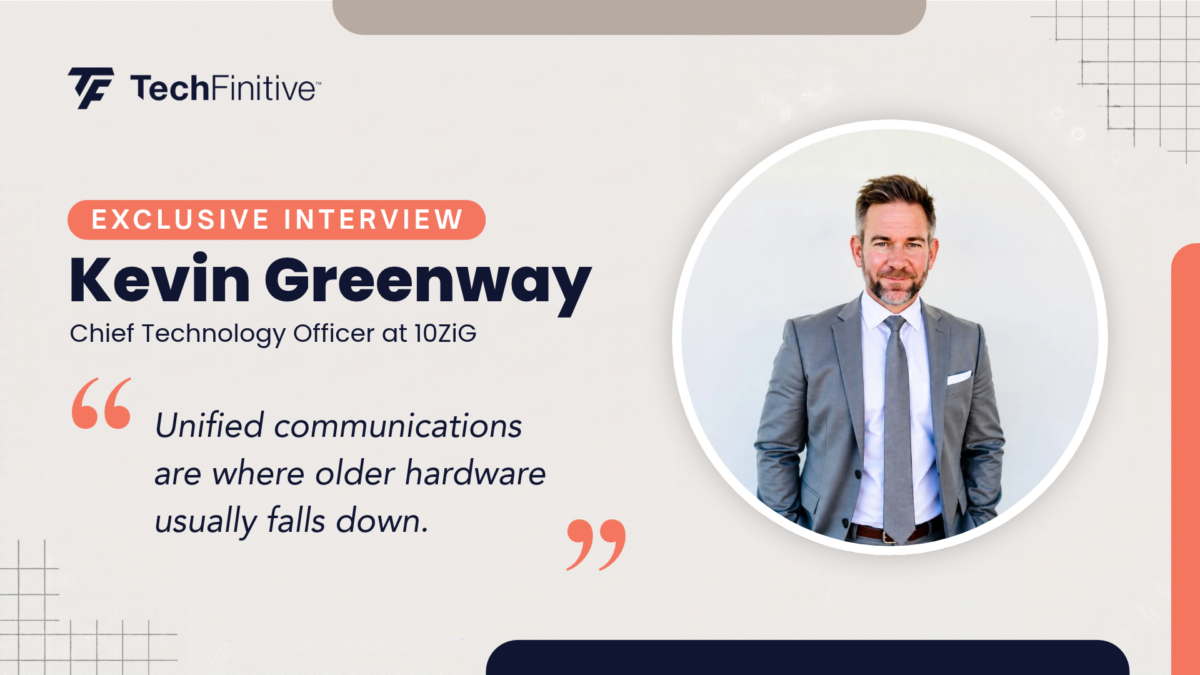
Kevin Greenway, Chief Technology Officer at 10ZiG: “Unified communications are where older hardware usually falls down”
Modernising desktop infrastructure is rarely as simple as moving applications to the cloud. Organisations must also consider the devices employees use, how they access their applications and how those endpoints are secured and managed, particularly when supporting a workforce spread across hundreds of locations.
For Kevin Greenway, Chief Technology Officer at 10ZiG, the endpoint is too often an afterthought in large-scale IT transformation projects. Drawing on 10ZiG’s work with The Salvation Army, which involved migrating to Microsoft Azure Virtual Desktop, replacing ageing thin clients and deploying devices across approximately 750 locations, Greenway explains why getting the endpoint strategy right from the outset is essential.
In this interview, Greenway discusses the practical challenges of managing distributed IT estates, the role of thin clients in simplifying deployment and security, and how organisations can extend the life of existing hardware through repurposing. He also explores the evolution of thin client technology as hybrid working and cloud-based desktop environments reshape how employees access corporate applications.
The Salvation Army has moved from Citrix to Microsoft Azure Virtual Desktop while also replacing ageing thin clients and migrating data centre workloads from VMware to Hyper-V. From a technical perspective, what makes these projects interdependent, and what should organisations consider before attempting a similar transformation?
To be candid, I’d describe them as separate projects rather than interdependent ones. The VMware to Hyper-V migration is a data centre project. The move from Citrix to Microsoft Azure Virtual Desktop (AVD) and the thin client refresh are about how people access their desktops and applications. What connects the two is timing and direction: The Salvation Army was modernising its estate as a whole and consolidating around Microsoft. On the desktop side, the drivers were clear – an ageing fleet of Dell Wyse thin clients and a Citrix environment with slow logon times and large, unwieldy user profiles.
Coming at this from the endpoint perspective, my biggest piece of advice is not to leave the endpoint until last. In many transformation projects it’s overlooked because people assume the endpoint is the same whatever back end you use. There’s still a perception that a thin client is a dumb terminal that sends keyboard and mouse input and refreshes the screen. The reality is very different. Users expect voice and video and peripherals such as webcams and headsets have to be redirected from the device into the virtual desktop. Depending on whether the endpoint runs Windows, Linux, macOS or Android, and what the vendor supports on each, you’ll get a richer or a more limited feature set. Change the back-end platform and those capabilities can change too.
Too often we only hear about it after the event, when a customer has switched platform and a support ticket arrives. The Salvation Army was different. They came to us at the start, looking for an AVD-ready thin client to replace end-of-life devices connecting to Citrix, so we could help guide them on which platform would suit them best.
Before starting, talk to users and the IT support team. What do users like about the current setup? What are the absolute must-haves that need to survive the transformation and what needs improving? What generates the most calls to the help desk? Speak to as many parts of the organisation as you can, because different departments will have different workflows, applications and peripherals. All of that should feed into the specification and the strategy, rather than being discovered after ‘go-live’.
The deployment spans around 750 locations and 7,000 users, including small churches and community centres without dedicated IT staff. How do you design an endpoint architecture that can be deployed, configured and maintained consistently across such a distributed estate without requiring engineers to visit every site?
Start from the assumption that nobody from IT should ever have to physically touch the device – not to install it nor to maintain it. Two things then become critical. First, the deployment process has to be simple enough for a non-technical member of staff to complete without help. Second, you need a centralised management tool that the endpoints are either pre-staged with or check into when they’re plugged in, so they can receive their configuration.
This kind of distributed estate is exactly what thin clients and centralised management are built for. A thin client is about as close to turnkey as you can get. We don’t install applications on it and there’s nothing on it that’s specific to the user or the location. In The Salvation Army’s case, the device runs a Linux-based 10ZiG OS that includes the AVD client and the authentication mechanisms that allow users to log in. Beyond that, it needs only a small set of settings: network details, URLs, certificates and a pointer to the 10ZiG Manager server through a secure connector. It’s a very lightweight package of information. We pre-configured the Salvation Army devices at our facility when we build them, with 10ZiG Manager then used to push updates over the network over time.
Everything specific to the user is handled in the back end. In AVD, the IT team provisions desktops in host pools within Azure – typically non-persistent desktops – with applications and user profiles held separately in containers using tools such as FSLogix. Updates to applications like Microsoft 365 can be applied once, centrally, and the user’s profile is attached at logon. Nothing lives on the endpoint, so nothing has to be fixed on the endpoint.
The user’s identity then determines what they see. At The Salvation Army, someone doing data entry gets a desktop with a minimal set of applications, while a knowledge worker who relies on Excel and Microsoft Teams gets a more capable desktop. The hardware differed too – entry-level 4600q series devices for task workers and our mid-range 7000q series for heavier users – yet both were configured in exactly the same way.
Compare that with PCs. You’d either be pre-staging every machine with applications and settings before shipping it or pushing gigabytes of data to each device – terabytes across an estate this size – through a tool such as Intune. With thin clients, the applications, data and operating system all live in the cloud. The only thing configured at each site is the touch point. As Neil Edmonds, The Salvation Army’s Head of IT Infrastructure, put it, his team finds 10ZiG Manager “lightweight and very efficient to work with”.
The Salvation Army used 10ZiG’s RepurpOS software to convert some existing Dell Wyse terminals, alongside purchasing new devices. When does repurposing existing hardware make technical and financial sense, and how do you determine whether an older endpoint can meet the security, performance and compatibility requirements of a modern virtual desktop environment?
Financially, repurposing makes sense when a device still has net book value or useful life left in it. As a rule of thumb, a PC is typically written down over three to five years and a third-party thin client over five to seven. The Salvation Army had a large estate of Dell Wyse terminals of varying ages and specifications and the more recent ones still had value. Budget is the other factor. If an organisation can’t fund a complete hardware refresh upfront, RepurpOS can bridge the gap for the first year or two while budget is found.
Technically, we start with the architecture. RepurpOS needs an x86-based device with an Intel or AMD processor and suitable graphics card. Its minimum requirements are modest – 2GB of RAM (although 4GB is recommended) and 4GB of storage (compared with the 8GB that some other endpoint operating systems now demand) – which opens up a lot of older hardware.
We don’t judge suitability on age. We still come across organisations wanting to repurpose devices that are 15 or 20 years old. What we look at is the generation of the processor and the graphics card because they determine whether the device can handle the graphics codecs and the encoding and decoding involved in things like webcams. From any device’s specification, we can tell whether it will deliver acceptable performance and compatibility.
Unified communications are where older hardware usually falls down. If you need Microsoft Teams or Zoom and the hardware is seven years old or more, you’ll probably struggle, and replacement is the better option. As a guide, you’d want a quad-core processor running at around 2GHz or above which generally means a device made in or after the 2018 to 2020 period. Bear in mind that thin clients are deliberately specified below equivalent PCs – often two to four years behind – because the heavy processing happens in the data centre or the cloud. So, an older third-party thin client starts from a lower base than an older PC.
Thin clients are often discussed in terms of lower maintenance and centralised management, but they also change where data is processed, stored and secured. How does moving away from locally stored data affect an organisation’s security posture, and what risks still need to be addressed across endpoints, identity, connectivity and the virtual desktop infrastructure itself?
Removing data and applications from the endpoint shrinks the attack surface considerably. If a device is lost or stolen, there’s no data on it to lose. But a smaller attack surface isn’t zero and organisations still need to address several areas.
The endpoint device itself has to be secure by design. Our Linux operating system has always been read-only and we’ve now gone a stage further by encrypting the operating system’s components and verifying them every time the device boots. This chain of trust reduces, and aims to eliminate, the possibility of the endpoint being compromised.
Organisations should still run regular vulnerability scans on endpoints just as they always have – the results should simply be shorter. Firmware must be kept up-to-date and consistent across the estate because each release includes security fixes not only for our own components but also for third-party clients such as AVD, Citrix and Omnissa.
Users’ access to the device itself should also be locked down. With 10ZiG Manager, that’s a handful of settings in the configuration template rather than the hundreds or thousands of objects you’d have to manage to harden a Windows PC. Because the Linux OS is read-only, signed and encrypted, and no company data is stored locally, in most cases we don’t recommend running third-party antivirus on our Linux thin clients.
Regarding connectivity, all communication should use current cipher suites – both the secure connection between the device and 10ZiG Manager and the encrypted session between the endpoint and Azure. Without strong encryption, someone eavesdropping on the connection could capture usernames and passwords at the point of login. Standards keep evolving and older ones become insecure over time, so staying on top of them protects both credentials and company data.
From an identity management perspective, many organisations now use conditional access, where access depends not only on who you are but on where you’re logging in from and on what device. A managed thin client on the corporate network is a trusted endpoint, so it may be granted more access. Someone logging in from a personal laptop on a public Wi-Fi hotspot might be allowed to view data but not copy it.
With virtual desktop infrastructure, obviously data is no longer stored on the endpoint, rather it’s concentrated in the cloud or data centre. That’s where the security effort has to go, using the controls and best practice the specific platform provider offers.
The Salvation Army adopted a zero-touch postal rollout for around 600 smaller sites, with pre-configured devices that users could connect themselves. What technical and operational safeguards are needed to make this model reliable at scale, particularly when troubleshooting connectivity issues, managing firmware updates and replacing faulty devices remotely?
Simplicity for the user requires work upfront behind the scenes. In 10ZiG Manager, you set up configuration groups for locations so devices filter into the right group as they check in and you apply automatic configuration so each device receives its settings without anyone intervening. The Salvation Army’s set-up was relatively straightforward: every site is in the UK with the same time zone and keyboard language, and every user connects to the same environment, so one organisation-wide configuration was applied to every group. Other customers use different templates per group, for example for sites in different countries.
Operationally, staff need clear, simple instructions. In practice, that means unplugging the old device and its power supply, moving the network cable to the new device, swapping the keyboard and mouse, and plugging in peripherals such as a webcam or headset. That’s it.
Firmware and configuration drift are controlled through the same groups. Each location enforces a specific firmware version and configuration template, so every device stays consistent. Devices follow a standard naming convention, too.
Asset tagging is one of the most useful safeguards for support. We build every device to order before shipping, and for The Salvation Army, we fitted each one with a physical asset tag. The device’s name in 10ZiG Manager matches its asset tag, so when someone at a church calls IT, they simply read out the number on the label. IT can then immediately identify the device, its location and its status in 10ZiG Manager and the data can feed into the organisation’s own asset-tracking system.
Replacing a faulty device is simple because thin clients are stateless. Nothing on the device is specific to the user, so if one fails, you post a replacement, the user plugs it in and it picks up exactly the same configuration as the one before. Nothing needs to be rebuilt or restored.
The payoff is significant. Sending engineers to around 600 smaller sites would have been hugely expensive and time-consuming. Posting pre-configured devices instead saved The Salvation Army a lot of time and money, with on-site installation reserved for the roughly 100 larger sites, which our partner BNR handled.
The next stage of The Salvation Army’s plans could include thin client notebooks for staff who need to work away from fixed desks. As hybrid working expands, how do you see thin client technology evolving to support mobile users, more demanding applications and increasingly complex cloud environments without sacrificing centralised control?
In many ways, this has already happened. Hybrid working arrived overnight in March 2020 during COVID and the technology has been evolving to meet it ever since. Thin client notebooks are a reality – we already offer them. They keep the virtues of a traditional thin client: a stateless device that uses little power and doesn’t let users store data or applications locally. They just put it in a form people can carry between the office, home and anywhere else without disruption.
The bigger change is in the remoting protocols that carry the display, keyboard and mouse traffic between the endpoint and the virtual desktop – RDP for AVD, HDX for Citrix and Blast Extreme for Omnissa. Until around 2020, VDI was largely deployed on premise and assumed users were on a managed local network. The growth of cloud and Desktop as a Service has changed that. Protocols have moved from connection-oriented to connectionless transport, so they cope far better with mobile and unmanaged networks. They’re not indestructible – with almost no bandwidth and very high latency, any session will struggle – but they perform far better in those conditions than they did a few years ago.
For more demanding applications, offload is key. Rather than processing Teams or Zoom calls or video in a browser, inside the cloud desktop, that media can be handled directly on the endpoint. That’s especially valuable for mobile users. Geolocation helps too: if a user is at a London airport and their desktop is hosted in a Paris data centre, for example, the session can recognise that they’re in London.
The underlying principle doesn’t change. What makes thin clients sensible in the office makes just as much sense on the move: a secure, centrally managed device that gives users access to their desktop and applications. Centralised control stays where it has always been – in the management console and the back end, not on the device in someone’s bag.
About The Author

Ricardo Oliveira
NEXT UP