Trending Topics

 Trending
Business hacks: how to reduce the burden on your IT team by buying right

The problem with peripherals is obvious from the very term “peripherals”. Items on the periphery. Why should IT teams put care and attention into such an insignificant part of their estate: surely it’s the heartland of notebooks and desktop PCs that really matter?
Truth is, everything matters. If your IT team is taking calls from users unhappy with their monitors, mice, keyboards, webcams, speakers, headsets or docking stations, then they’re losing time. And, let’s not forget, those users aren’t happy. That almost certainly means they’re less productive than they could be.
This article focuses on business hacks that can reduce the burden on your IT team. You might be surprised – shocked even – by what a difference they can make.
Simplify management: buy from one manufacturer
Let’s start with the simple challenge of asset management. Okay, that’s a lie. Asset management was simple, perhaps, when you only needed to worry about the products sitting on workers’ desks in the office, but modern working practices are very different.
Chances are that many of your knowledge workers have switched to hybrid working, and that means a typical IT team’s responsibility has spread from a central office to hundreds of home offices. How on earth do you keep track of all the equipment?
Third-party tools are available to help, but the simplest way is to control this at the source. You know what assets are out there because there’s a master list from one manufacturer.
This isn’t a simple tickbox exercise. It’s there to make it easier to roll out security and firmware updates, to ensure that your staff stay safe and productive. And it should also mean fewer and shorter calls to the IT team as the number of variables is hugely reduced.
Provide the right equipment for the job
One reason why staff call IT is that they simply can’t get the job done. Take web calls. These are now a significant part of people’s day, but if they’re on a call and struggling to hear what others are saying, or their video isn’t working properly, then that’s a ticket added to the IT team’s burden.
The same is true when you’re buying any productivity tool. Studies show that people work up to 43% faster with external displays, a mouse and a keyboard compared to using a notebook alone. Avoid frustrated users from calling up the IT team to complain, and give them what they need to work effectively.

Don’t knock the dock
We’re not knocking Wi-Fi, but if workers can switch to wired networking when sitting at the desk then why not use it? This is where a USB hub, or “Hub Monitor”, makes a lot of sense. So long as the user is plugged into the monitor, and the monitor has a wired Ethernet connection, then you have one less wireless connection to worry about.
The added plus? With remote management tools, IT teams can then manage devices over the wired network connection whether the user is sitting in their home or in the company HQ.
Docks also make it far simpler for users to control their workspace, with USB ports for all the peripherals they use when at their desk.
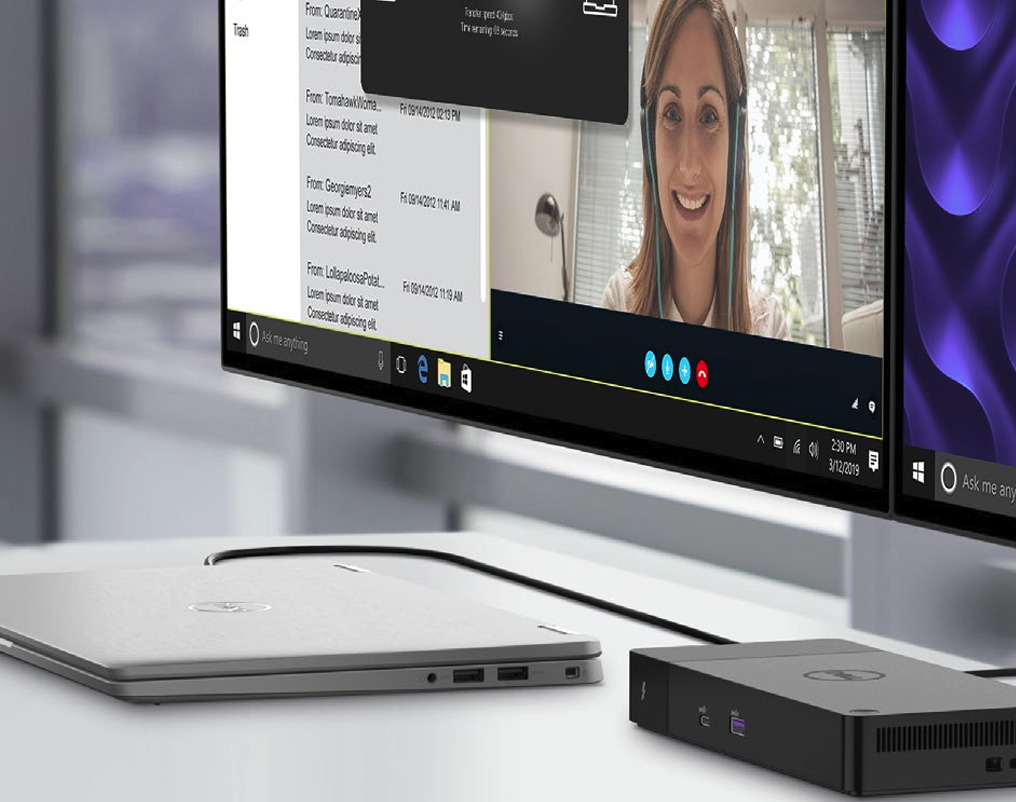
Connect to Productivity – Power Productivity Wherever Work Happens with Dell Docks and Hub Monitor
Customize your workspace to fit your location and specific needs with a range of docks designed for every scenario.
Experience the simplicity and convenience of an integrated solution for a clutter-free desk.
Diagnosing failures
The journey from a user to the IT team diagnosing the fault becomes so much simpler if you’re familiar with the products they’re using. Their wireless keyboard isn’t working? If you know the brand and model inside out, then you know where the on switch is, how long the batteries should last, what lights should appear.
Now multiply this by the number of potential products being used by all your staff and you can see how much time it can save.
Procuring parts
It’s a fact of life that things go wrong. While you can spread the risk by taking out a warranty (see below), that’s only half the battle. Users don’t care what the business needs to pay: they just want devices to work.
One way to avoid this is by choosing a particular type of product for workers. Let’s take our example of hybrid workers who take part in daily web calls. If you choose a keyboard tailored to them – such as the Dell Pro Wired Collaboration Keyboard – then you should buy spares to send out immediately.
The same applies to parts for devices, whether that’s power supplies, laptop screens or SSDs. Everything becomes so much easier when you standardize.
Configuring new devices
When it comes to supporting IT products, familiarity doesn’t breed contempt: it breeds confidence. Not only will your IT teams know the types of questions that can be asked, they can even pre-answer them as part of the rollout process.
If an unexpected question does come up, they will be familiar enough with the product to answer it themselves, or know exactly who to ask among their colleagues or the company who supplied the product.
Comprehensive warranties
A good warranty isn’t simply about avoiding spikes of cost. It’s about providing users with easy, quick support within a guaranteed period. Let’s say that you know you want your computer equipment to last for three years. Then buy a warranty that covers that length of time.
This becomes even simpler when you buy from one manufacturer. You have one point of contact to go through, to the point where the process becomes semi-automated. When something goes wrong, you may not need to involve the IT team at all.
Easier onboarding for everyone

Training new staff is one of the most crucial elements of any business. You want people up to speed as quickly as possible, and that includes members of the IT department. If you can say “we only use equipment from this manufacturer” then this immediately simplifies what new members of the IT team need to learn.
Of course, this is equally true for new members of any team: HR, marketing, sales, support and the rest. Buy from a big manufacturer such as Dell then there’s also an excellent chance that they will already be familiar with everything from the computers to the displays.
Knowledge banks & self-service portals
One of the more annoying burdens placed on IT teams is setting up knowledge banks – which could be as simple as common Q&As on the company website – for staff members. Anything that can be done to simplify this is always going to be welcome.
How about pointing people to one piece of software to control the settings of all their peripherals? In Dell’s case, this comes in the form of Dell Display and Peripheral Manager. This gives users one destination to control everything from monitors to docks, from webcams to mice, from keyboards to headsets.
The same principle applies for self-service portals for common hardware and software requests. The smaller the pool of products, the easier it is to keep up to date.
Outsource the jobs that soak up IT time
One other possibility? You could simply outsource aspects of the IT job that are stopping you from concentrating on the things that matter. A Forrester Total Economic Impact Study commissioned by Dell Technologies and Verizon Business in May 2025 estimated that the average monthly cost per end user device dropped from around $27 to $18 by switching to Dell’s APEX PC As A Service (PCaaS) offering.
About The Author

Tim Danton
NEXT UP


