Trending Topics

 Trending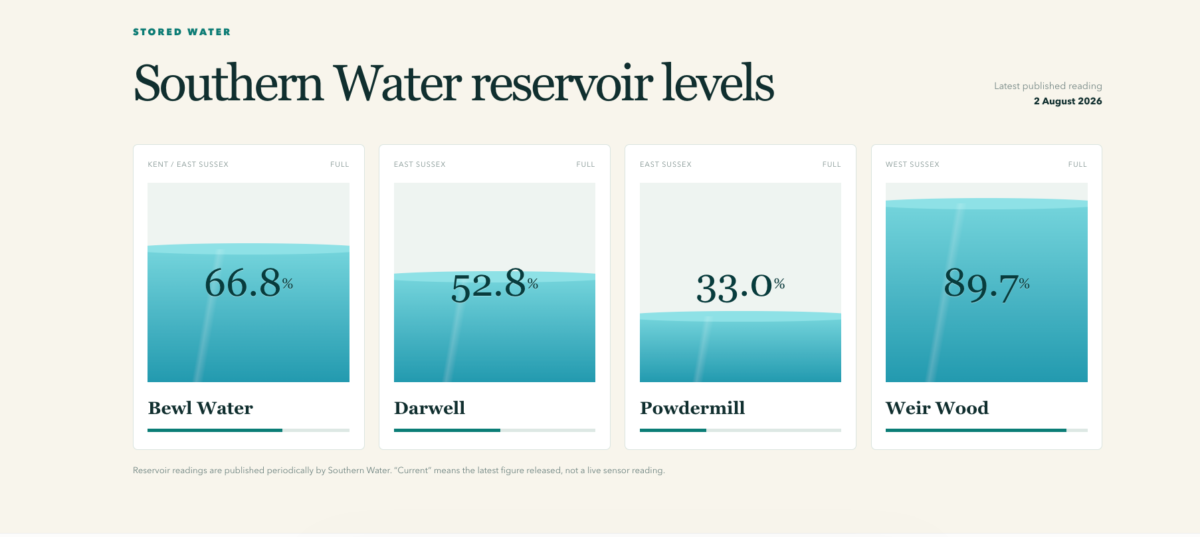
ChatGPT Sites: Publish business websites in a flash

ChatGPT has been able to code websites for years – the problem was publishing them. Even if the AI could spit out the HTML/CSS/JavaScript required for the site, you’d still need to sort the hosting yourself. With ChatGPT Sites that’s no longer a problem.
Now, not only can ChatGPT create sites on demand, but it can host them too. You can even host the ChatGPT-created sites on your own domain. Here we’re going to show how to use ChatGPT Sites and give examples of the type of business purposes they could be used for.
How to create ChatGPT Sites
ChatGPT sites are currently in public beta and only available to paying subscribers on Plus, Pro or Enterprise workspace accounts.
It’s rather tucked away in the ChatGPT menus, but you’ll find it by clicking on the More… link in the left-hand panel of the ChatGPT desktop website and clicking Sites.
Here you’ll find thumbnails of any previous Sites that you’ve created as well as a link to create new Sites. This opens a prompt window pre-populated with:
Make me a @Sites about ...
You can use Sites in both normal chat and Work mode, so if there are files on your computer that you want to use as the basis for a new website, you might want to start in Work mode and give the AI access to those files (we’ll show you an example of building a site from existing files later).
Sites are able to pull information from public websites, data stored in cloud services or connected apps, or your own local files. To give you an example, we asked ChatGPT to:
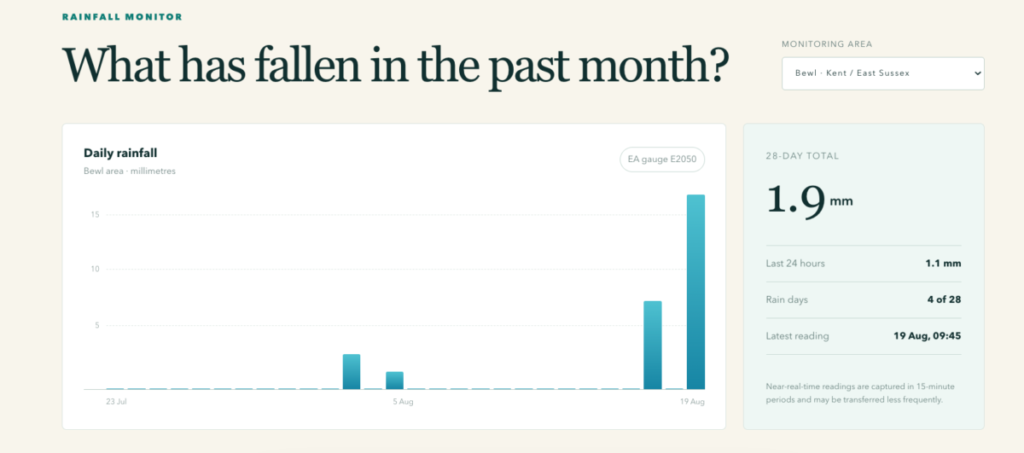
Make me a @Sites about rainfall and reservoir levels in the South of England. Show live and historic rain fall data for the past month, plus the current reservoir levels for reservoirs in the Southern Water region. Also show any hosepipe bans that are currently in force.
The AI found live Environment Agency rainfall data from six regional gauges, with 28-day history, as well as published reservoir levels for the stated regions and more. It presented all the information in an attractive dashboard that could be of use to, say, farmers or those managing estates. You could further edit the site to include weather forecasts to make it more useful.
ChatGPT Sites will show you a preview of the website once it’s completed, from which you can suggest edits. Once you’re happy, you can decide where to share it, although there are currently only two options: leave it visible only to yourself (when logged into ChatGPT) or visible to everyone on a public URL.
Hosting a ChatGPT Site on your business domain
ChatGPT hosts the site on its own domain by default (you can see our South of England Water Watch site here) but you can also dive into the settings and shift it to a custom domain.
This isn’t as complicated as you might expect. Select “Add domain” in the settings and then enter the apex domain (that is, the root address of your website) or subdomain you wish to use.
You then need to copy the DNS settings from ChatGPT Sites, before adding them through your own domain provider.
And if you do have questions, don’t forget that ChatGPT is always there to help. For example, it should be able to point you to the right section of your domain provider’s settings.
Create project dashboards
One excellent use of ChatGPT Sites is to use it to create dashboards that can show stakeholders the progress on a particular project.
To give an example from our publishing world, we’re creating a printed guide to ChatGPT that has several different writers and production stages. The data is currently stored in a Google Sheet, but it’s not presented in an attractive or accessible format, and we certainly wouldn’t want to share it with the client in that format. But we can ask ChatGPT sites to create a project dashboard that can not only help the writers/production staff keep tabs on progress, but the publisher/client too.
Make me a @Sites dashboard that gives the team producing this guide an at-a-glance view of progress made in completing this guide:

@ChatGPT Life Hacks Plan

It should include panels for each writer, showing how many pages they still have outstanding. It should also show overall percentage written, subbed, sent for client proof and final proof, as well as days until the final deadline. Plus any other information you feel relevant.
Because we’ve previously linked our Google Drive and ChatGPT accounts, Google can simply find the relevant spreadsheet (@ChatGPT Life Hacks Plan) in our drive and work with the data inside it. It builds the dashboard as per our spec, and includes extra features such as a scrollable list of pages that still need to be written.
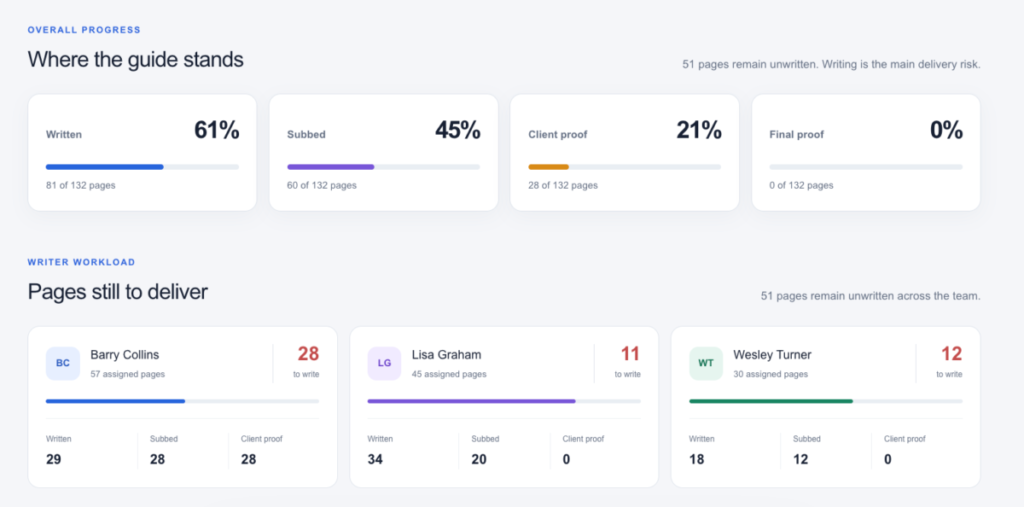
It’s infinitely more presentable than our dry spreadsheet and makes it much easier to see the overall progress of the project, for both the staff and the client.
One thing to note: when we asked ChatGPT if/when the dashboard would be updated to reflect changes to the spreadsheet, it said it had built a static dash that wouldn’t change. We asked it to check the spreadsheet once an hour to reflect updates, so it’s worth including this request in your initial prompt if you have data that is constantly refreshing.
Create sites from documents
Sometimes you’ve got information stored in documents that you need to publish online, although not necessarily in the same format. ChatGPT is well suited to this kind of repurposing of content.
We’ve got a company away day planned, and all the information about the venue, agenda, accommodation and other arrangements are trapped in a Word document. We want to publish this information so that attendees can easily access the key details, without having to spend time re-editing the document and fussing with a CMS ourselves.
We drag the document into a new chat (although we could have used ChatGPT Work mode to show where the document lived on our computer) and ask:
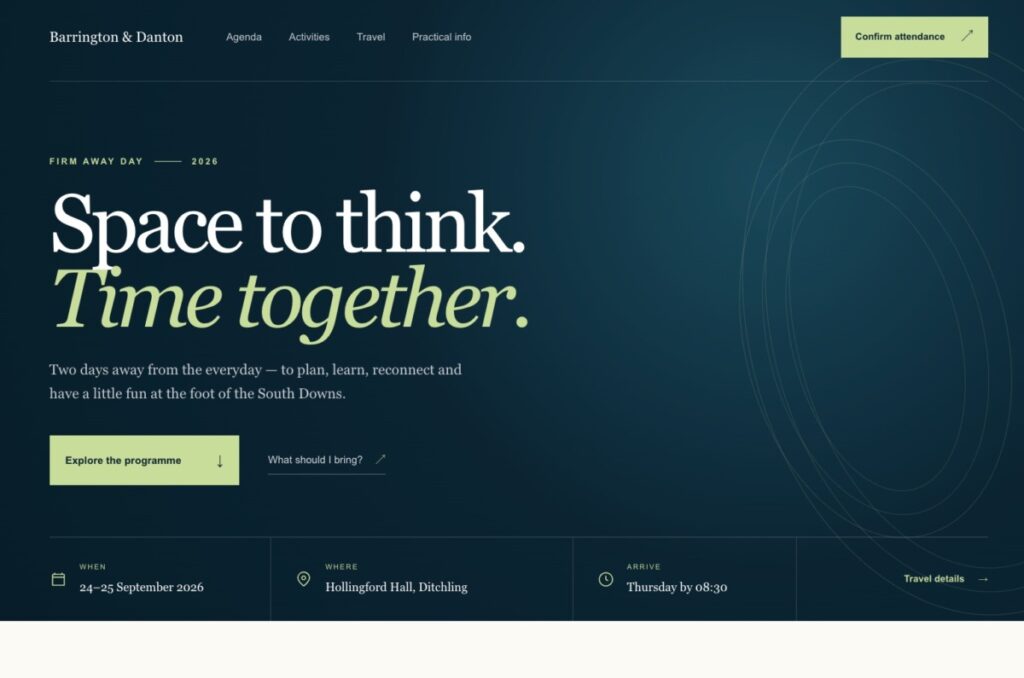
Make me a @Sites that conveys the information about this company away day to attendees.
Within ten minutes, we’ve got a site that neatly encapsulates all the key information for attendees, including the venues, the agenda, the leisure activities and so on. It’s all very smartly formatted and presented, and the adaptive site works just as well on smartphones as it does on a desktop. It would take many hours of work to achieve something similar by hand.
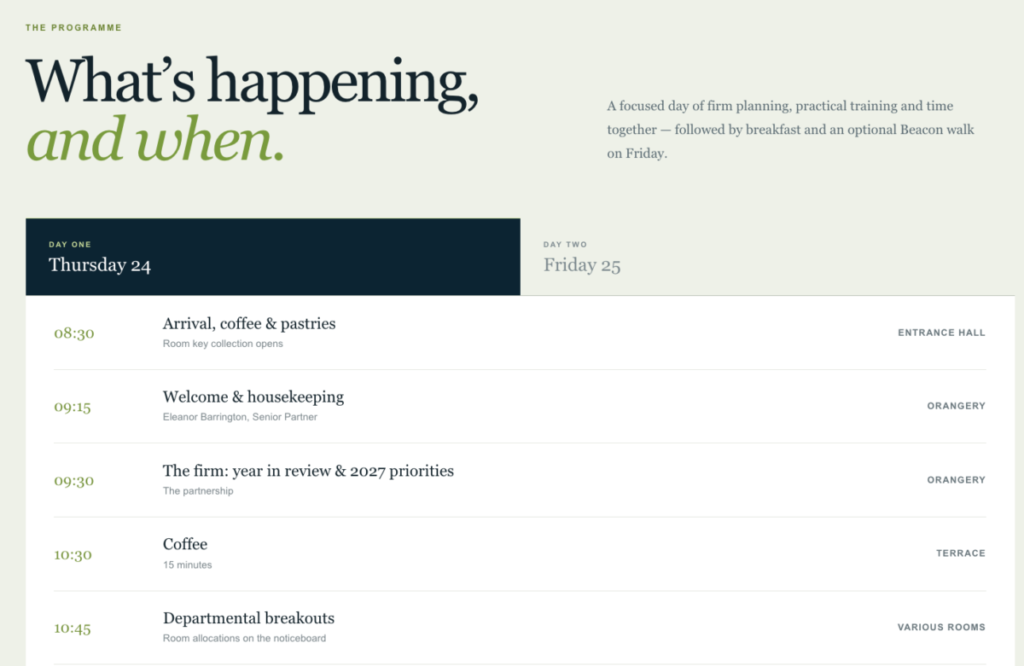
If you gave ChatGPT company assets, such as the logo and brand colours/fonts, it could also incorporate these into the design.
More ChatGPT articles by Barry Collins
About The Author

Barry Collins
NEXT UP


