Trending Topics

 Trending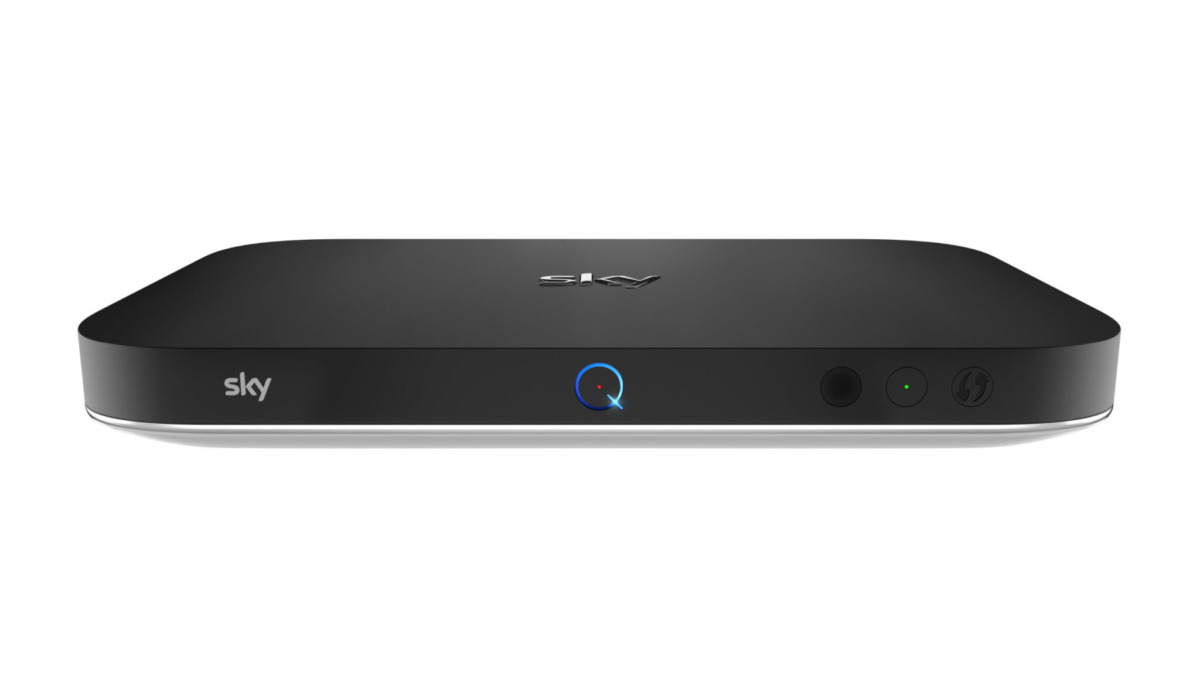
What does a red light on the Sky Q box mean?

Having problems with Sky Q? Can you see a red light on the Sky Q box? We’ll unravel what this means and what you can do about it.
First, we need to work out which Sky Q device you’ve got a problem with. There is a Sky Q box (the one that does the TV stuff) and a Sky Q Hub (which provides your internet connection). Both of those can show red lights.
Sky Q Hub: red power light
The Sky Q Hub has three lights on the front labelled ‘power’, ‘internet’ and ‘wireless’. If the power light is showing red, then this indicates a problem with the Hub’s power supply.
Make sure the power cable is plugged in correctly at both ends. If all seems well, then a faulty power supply may be to blame. As with all things, try turning the power off and on to see if that makes it any better.
Sky Q Box: red recording light
The Sky Q Box has a circular light on the front of the box. If this is red, first check that your Sky Q box isn’t recording or downloading any shows:
- Press ‘Sky’ to access your recordings and then select ‘scheduled’ to see if your Sky Q box is recording anything
- Now select ‘Manage’, press ‘Select’, then ‘Downloading’, to see if your Sky Q is downloading any shows
If neither of those are occurring, restart your Sky Q box. To do this:
- Press ‘Standby’ on your Sky Q remote, then switch off the power to your box
- Check that all the lights on the front panel of your Sky Q box go out and that all cables are securely connected
- Switch your Sky Q box back on
- Wait for the on-screen instructions to disappear, then press ‘Home’ on your Sky Q remote
Some features may take up to five minutes before they return to normal.
Additional explainers you might be interested in
About The Author