Trending Topics

 Trending
ChatGPT Deep Research just got a lot more useful for businesses

OpenAI has added new features to ChatGPT’s Deep Research that make it much more capable for business research.
The Deep Research feature has long been a useful tool for background research, with the AI scouring multiple sources on the internet for information and then returning a detailed report of its findings.
The big problem with previous iterations of Deep Research was a lack of control. You weren’t really able to direct ChatGPT to research specific sources, and if it misunderstood which information you were looking for, it could take a long while to re-run research, because reports can take more than 20 minutes to generate.
OpenAI has addressed both of these flaws with its latest Deep Research update, which is now live.
Setting ChatGPT Deep Research sources
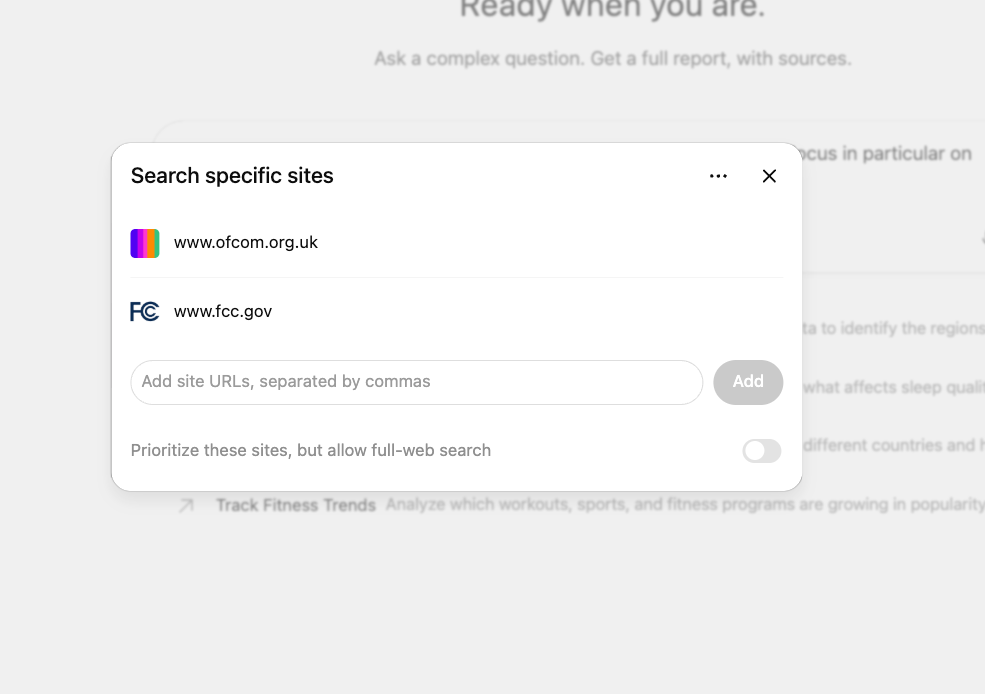
When starting a new piece of research, you can now tell ChatGPT which sources to use.
In the example shown above, we start a piece of research comparing the usage of social media sites among different age groups. By clicking on the Sites button in the Deep Research prompt window, we can specify which sites we want the AI to draw information from. By default, the AI will only search the sites specified, but there’s a check button that also allows for the AI to scour other sources, while prioritising the specific sites you mention.
If you’ve already linked different apps to your ChatGPT account – such as Google Drive, Gmail, GitHub or Slack – you can also have the AI look for information stored in those repositories, which is handy if you’ve got internal files that you want added to the research.
Narrowing the focus
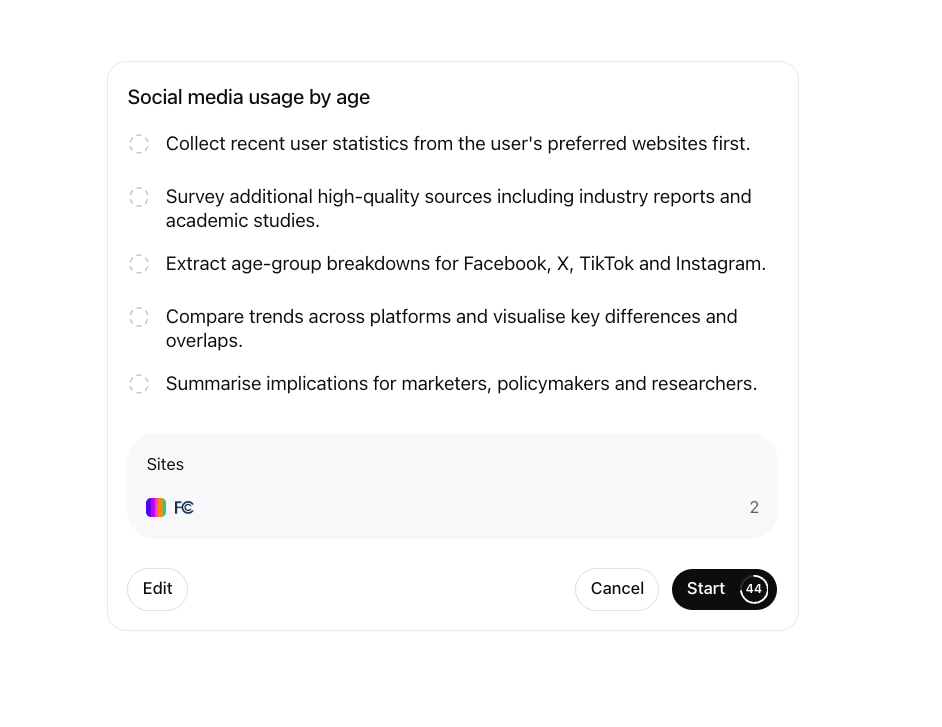
To help prevent wasted searches, ChatGPT’s Deep Research now also presents a summary of what it intends to research before doing so, allowing the user to edit or cancel the query first.
In the example above, we’re thinking of launching a product aimed at 35-50 year olds and so we want the research to focus on that group in particular. So we press the edit button and it allows us to tell the AI to narrow its research to that age group before commencing its 20-minute trawl. There’s a countdown on the Start button, so the research will automatically begin after 60 seconds if the user doesn’t make any changes.
Better report navigation
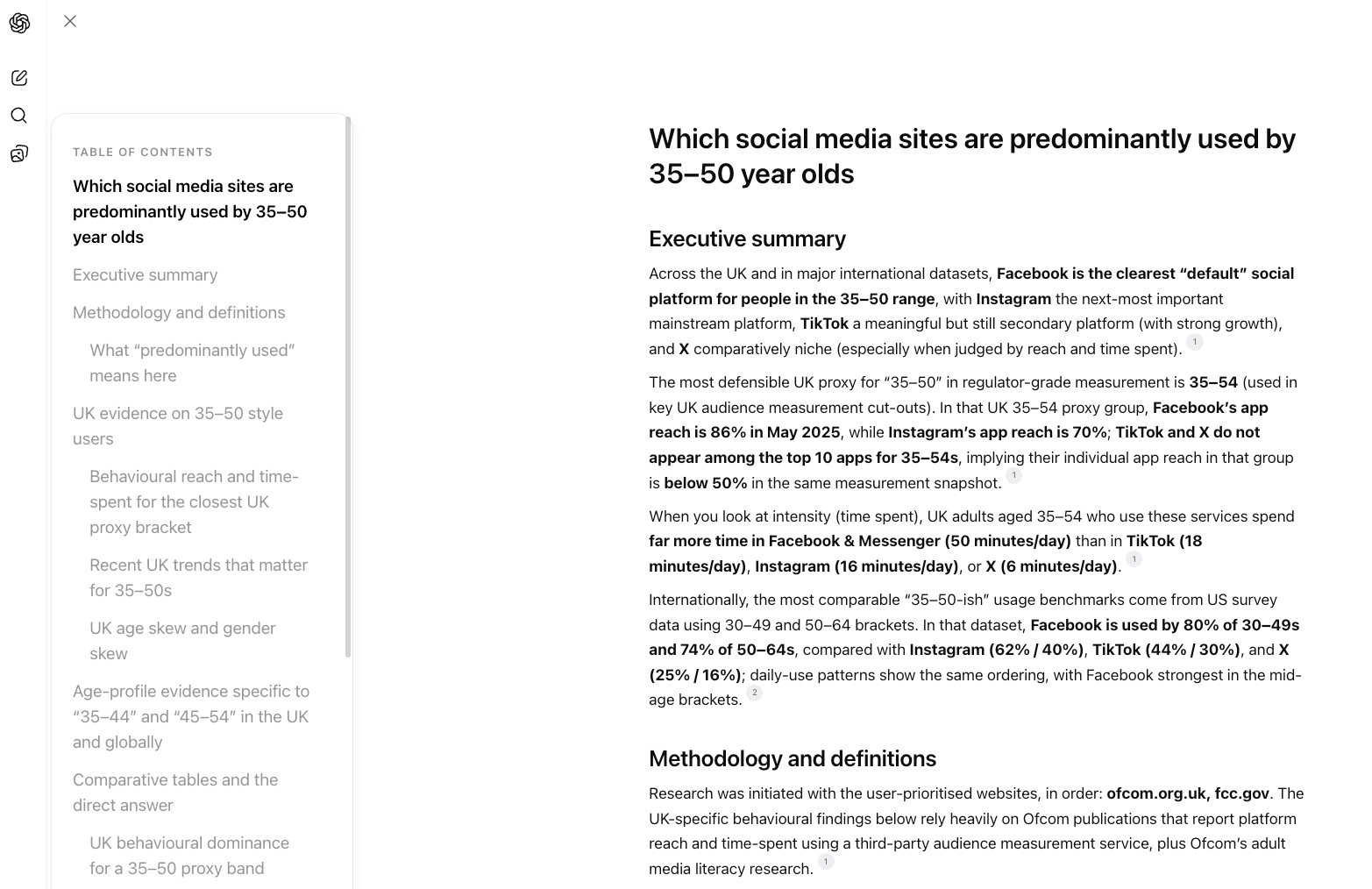
ChatGPT’s Deep Research reports are long, often too long. However, the update has certainly made these reports easier to navigate.
Now each report comes with a clickable table of contents. If you want to jump straight to a specific section of the report, you need only click on the link on the left-hand side.
There’s also a new option to download reports in markdown format, adding to the Word document and PDF options that were available previously.
As ever, you need to operate with a degree of caution when assigning ChatGPT to research information and not blindly trust everything it reports. The source for specific facts is linked to from within the report itself, allowing you to verify key information with your own eyes, and each report also contains an activity log that reveals what the AI was “thinking” while it researched the report.
For example, while we asked for data on 35-50 year olds, the AI notes in its activity log that: “different sources use varying age bands” and so it will “map to the closest available ones: 35-54 for Ofcom, 35-44 and 45-54 for DataReportal, and 30-49 and 50-64 for Pew.” It does also mention this discrepancy in the final report, but it’s reassuring to see this highlighted and that the AI is mapping to appropriate age groups.
More articles we think you’ll enjoy
About The Author

Barry Collins
NEXT UP


