Trending Topics

 Trending
Adobe AI will read your boring contracts for $5 a month

Adobe is adding a new facility to its Adobe AI assistant that picks the key details out of the contracts that you never bother to fully read.
Dubbed “intelligent contract capabilities”, the new tool automatically detects when a PDF contract has been opened in Adobe Acrobat. That could be an employment contract, a software licensing agreement or the terms and conditions for a credit card, for example.
It’s designed to cut through the pages and pages of legalese that most people don’t have time to fully digest. Adobe’s own research –– which should of course set off your vested interest klaxon, but does have the ring of truth –– claims that 70% of consumers sign contracts without knowing what’s in them.
How Adobe’s AI contract reader works
When a contract is first opened in Acrobat, the AI provides a “contract overview”, a one paragraph summary of the text.
It then provides a button to “List key terms”, which picks out the key details of the agreement. I tested this with a 20-page vendor agreement between my company and a third-party company. Adobe’s AI picked out details such as the fees agreed, the work required, the payment terms and the duration of the contract.
Each of the highlighted terms contained a citation to the page in the PDF where that term was stated, allowing me to check the AI summary was correct.
In addition to highlighting key terms and being able to answer direct questions about a contract, Adobe’s AI Assistant can also compare and contrast the differences between different contracts. So, for example, if a software firm sends you an updated licensing agreement, you can compare this to the previous version to get a summary of what’s changed.
This builds on a tool that has been available in Acrobat for many years, where it would highlight the differences between two different documents. The difference this time is that the AI automatically highlights and summarises the key changes.
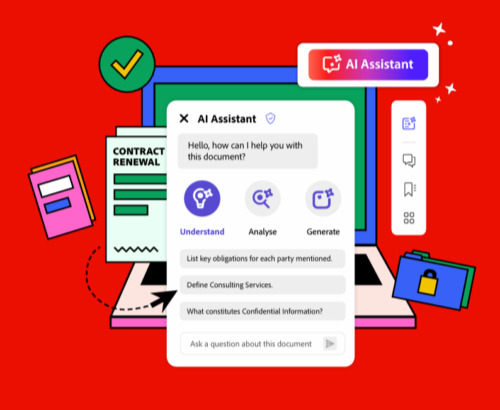
Download “3 Ways Legal Teams Save Time with Acrobat AI Assistant” from Adobe
Legal teams often face overwhelming workloads, with the pressure to move quickly while maintaining high quality and attention to detail. By leveraging AI, legal teams can save hours each week, reclaim valuable time for strategic priorities, accelerate deal velocity, and improve compliance. Download this eBook from Adobe to learn more.
How much does it cost?
The contract intelligence features are part of Acrobat’s wider AI Assistant, which costs US$4.99/£4.98/AU$7.99 per month, if you agree to a 12-month contract. There’s a very slight discount if you pay the entire year up front.
The AI assistant is available across both the free Acrobat Reader and the full-blown Acrobat applications for desktop, mobile and web. However, it’s only available in what Adobe dubs “worldwide English” for the time being.
Adobe gives Acrobat users a smattering of free AI credits if you want to try before you buy. Obviously, you have to agree to Adobe’s 11,500-word general terms of use when you sign up…
Related Adobe articles
About The Author

Barry Collins
NEXT UP


