Trending Topics

 Trending
New ChatGPT Images: Is it fit for business?

OpenAI has released a new AI image-generation model which it claims is much better at following editing instructions and creates images up to four times faster than its predecessor.
The new model is available to both ChatGPT users and those who access the service through the API, where it’s branded GPT Image 1.5. For ChatGPT users, there’s a new Images panel available from the left-hand menu. This collates all the images you’ve previously generated and provides a space for new creations.
Here, we take a brief look at the promised improvements for businesses in particular.
Improved branding in ChatGPT Images
One of the image model’s promised improvements is that “you’ll see more consistent preservation of branded logos and key visuals across edits, making it well suited for marketing and brand work like graphics and logo creation”.
To test this, we asked ChatGPT Images to:
Create an image of an advertising billboard on a British street. The billboard should read: TechFinitive: tech news without the twaddle. The billboard should include the attached logo.
We attached a copy of the logo and you can see the result at the top of this article. On first inspection, it looks pretty good, but you’ll notice that ChatGPT Images has altered the appearance of the logo slightly, adding a white element that doesn’t appear in the real thing.
Even when we pointed this out in a follow-up prompt and asked ChatGPT Images to stick to the original logo, it simply changed the colour of the added white element to blue.
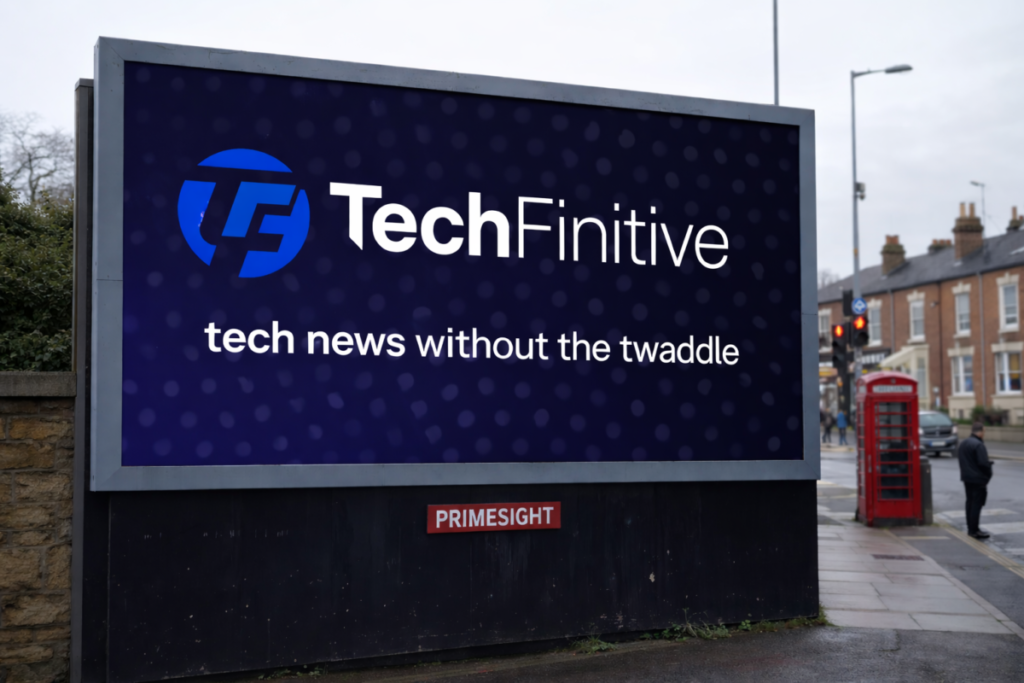
So, it’s a fail at the first hurdle for “more consistent preservation of branded logos”.
Editing using GPT Image 1.5
The new image model proved more reliable when it came to editing existing images. Here, for example, we had an image of a runner but on a boring street background. If you wanted to use the image for a social-media advertising campaign, say, you might want a more interesting background, so we asked the AI to:
Put the runner in a muddy field, splashing through puddles. Sunny day, with light patches of snow on the ground.
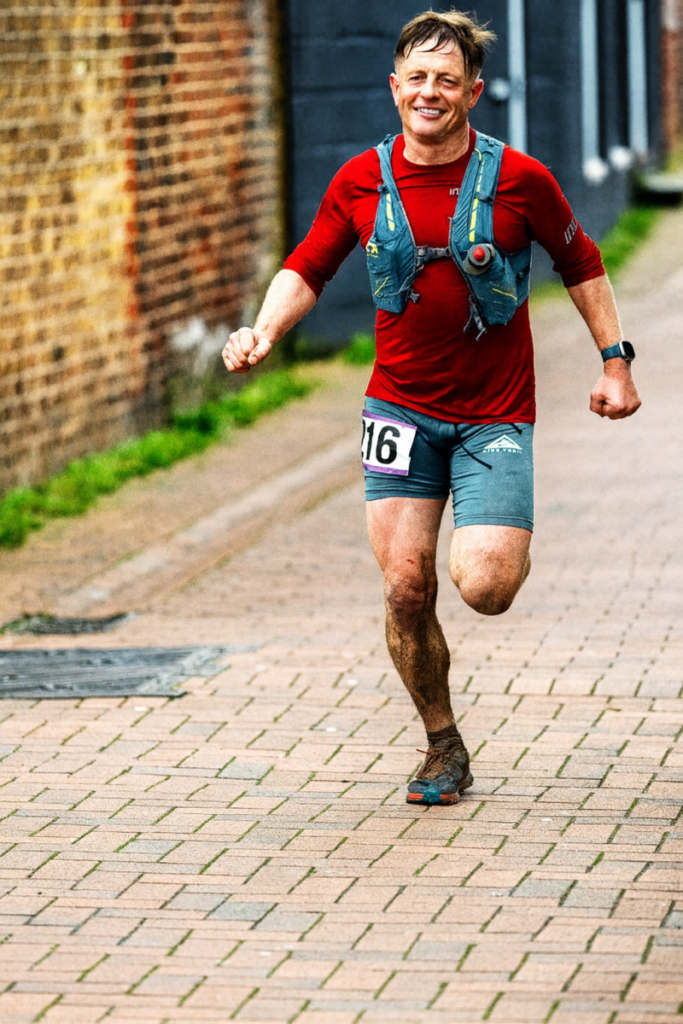
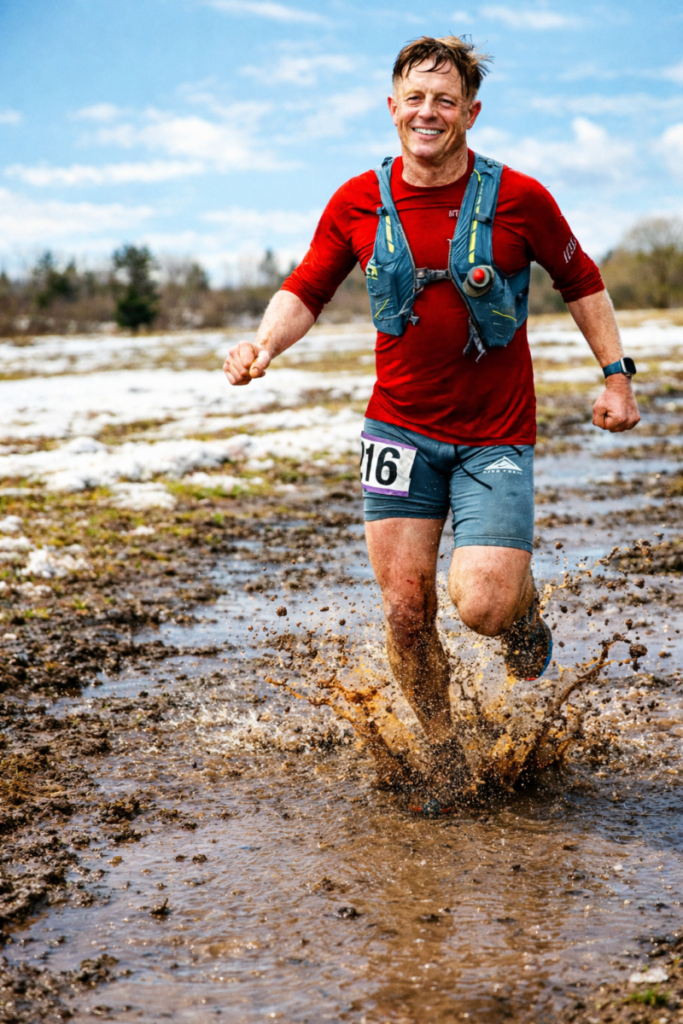
One of the criticisms of ChatGPT’s previous model is that it would change elements of an image/subject when you asked for edits to be made. Here, the runner looks almost identical to the original image, although you can see that ChatGPT has changed the angle of the left leg so that his foot (or an AI-generated foot) is now visible. It doesn’t look unnatural, but it might not be what you want.
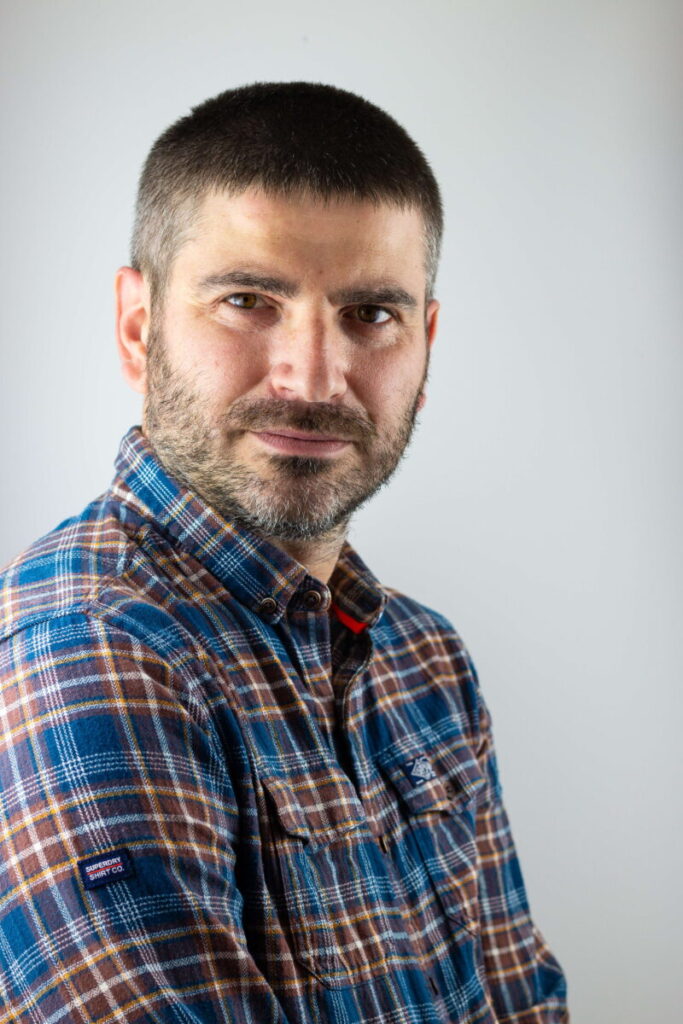
ChatGPT Images could also come in handy if you need to tweak a corporate headshot. Here we took the author’s portrait and asked the AI to:
Change the man's appearance to wearing a dark suit with a light blue shirt and dark blue tie.
As you can see, it did a very good job:

Likewise when we asked it to change the background colour to a “subtle yellow”:

Although it was less successful when we asked it to make our writer “clean shaven”:

It seems to have applied a skin smoothing effect and other subtle changes that change the writer’s appearance and make him look about 15 years younger!
Benchmark performance
We’ve only had time to give the new ChatGPT Images a brief test, but the GenAI Image Showdown has a much more detailed set of image editing benchmarks showing how ChatGPT fares against other rivals, most notably Google Gemini.
It seems Gemini 3.0 Pro Image still has the edge on ChatGPT Images, but the gap is much narrower than it was before.
Is ChatGPT Images now fit for business?
The unsatisfactory answer to this question: kind of. You can see the improvements when it comes to enhancing images, which are hard to fault. But it seems bizarre that the model can’t resist the temptation to fiddle with that most precious of business assets: the logo.
Related ChatGPT articles
About The Author

Barry Collins
NEXT UP