Trending Topics

 Trending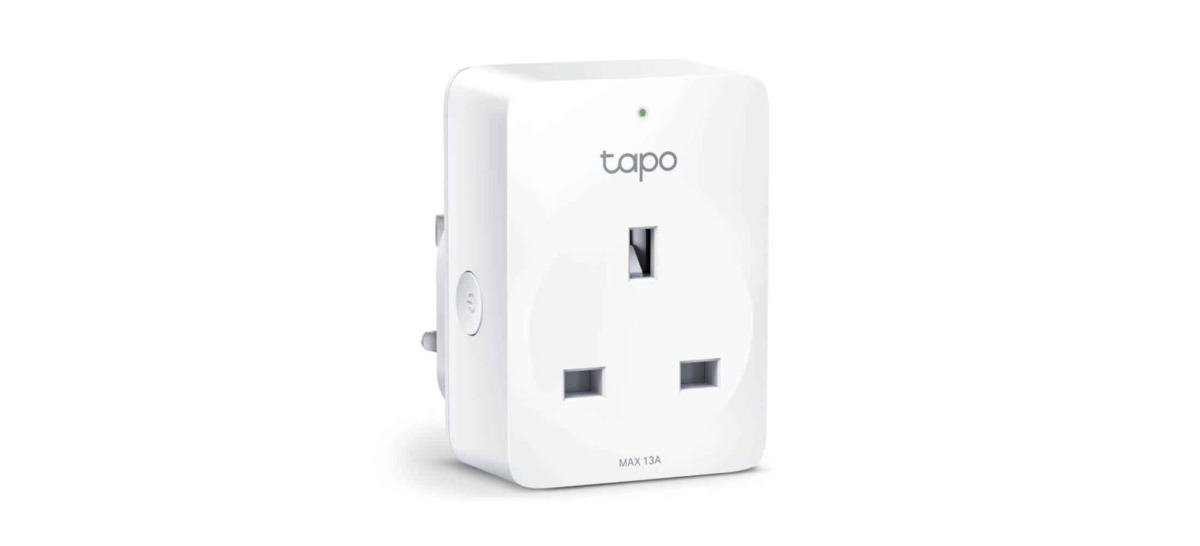
TP-Link Tapo P100 Mini Smart Wi-Fi Socket review: Is the £9 smart plug smart enough?

TP-Link Tapo P100: The good bits
- It’s easy to set up: Download TP-Link’s Tapo app (we’ll come back to this in a bit), plug the thing in, and everything is very simple from there. As it should be.
- It works well with Alexa: if you want to yell at Alexa to switch your plug on and off, it’s a doddle to set this up too. Just ensure you’ve got the Tapo app for Android or iOS/iPadOS installed on your smartphone first. It’s compatible with Google Assistant too, although I haven’t tested that.
- Scheduling is easy: Using the Tapo app, you can easily set up a schedule for your smart plug. I have mine plugged into a heater for my office, with a schedule to switch it on for half an hour before I start working every morning. That’s easy to set to weekdays only, too, so I don’t heat the office when it’s not in use. Timers can be set for sunrise and sunset if you’re plugging a light into the socket, which is very useful.
- Remote switch on/off: it’s a fairly standard smart plug feature now, but if I leave home and forget to switch off the heater, I can do so remotely, from outside the home. Some early smart plugs only allowed you to control devices when you were also on the home Wi-Fi network.
- It doesn’t cover adjacent sockets: the plug itself has a slender design, meaning it doesn’t obstruct adjacent sockets. You could easily put two of these plugs side-by-side in a double socket, for example.
TP-Link Tapo P100: The bad bits
- Another bloody app: For reasons best known to itself, TP-Link’s recent range of smart plugs uses an entirely different app from the ones it launched previously, which were powered by the Kasa app. So, if like me, you’ve previously invested in TP-Link smart plugs, you now have to use two apps to control them. The old Kasa devices don’t work in the Tapo app and vice versa. This is monumentally stupid, not smart.
- No energy monitoring: this entry-level device doesn’t monitor the amount of energy plugged-in devices use, which is very handy in this day and age of electricity costing more than cocaine. If you want that, you’ll have to upgrade to the marginally more expensive Tapo P110 (£9.99 from Currys).
- Dismal LED indicator: there is a tiny LED on the plug to show you at a glance if the device is powered on, but it’s ridiculously hard to see, because the LED is the size of a pinhole. You have to be almost directly in front of it and no more than six inches away to see the light, which largely defeats the purpose of such an indicator in the first place.
TP-Link Tapo P100 Mini Smart Wi-Fi Socket specs
- Size: 72.5 x 51.5 x 30.6mm
- Wi-Fi: 802.11/b/g/n 2.4GHz
- Voltage: AC, 220-240V, 50/60Hz
- Max load: 2,900W, 13A
Additional reviews that you might be interested:
About The Author