Trending Topics

 Trending
Google unleashes Gemini 3 with a heavy emphasis on vibe coding

Google has released its latest AI model, Gemini 3, which arrives with a host of new features optimised for vibe coding.
Alongside the launch of the new model, Google has released Antigravity – an IDE to rival Microsoft’s Visual Studio Code – but with a heavy emphasis on AI agents doing the heavy lifting when it comes to writing code.
Gemini 3 improvements
Google claims that Gemini 3 is “our best vibe coding model ever”, with a heavy focus on making the apps that AI generates look more attractive.
Gemini 3 “will push the boundaries of interface design”, Google claims, with a new capability called Generative Interfaces. This feature lets the AI “create immersive experiences and interactive tools and simulations, all generated completely on the fly for any prompt”.
Google gives the example of creating a Van Gogh gallery “with life context for each piece”. The AI automatically pulls together a visual presentation combining an interactive timeline, images and scrollable text, for example.
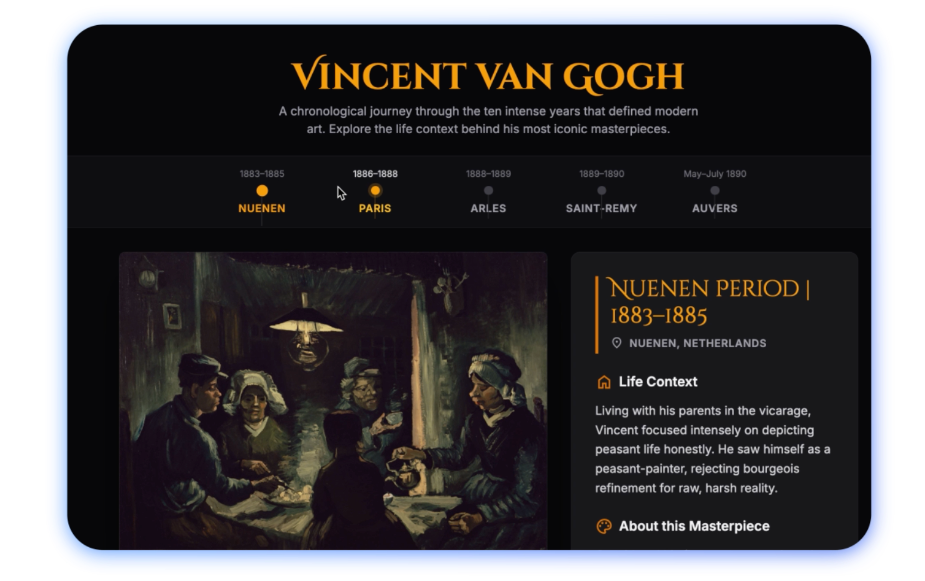
These new visuals won’t only appear when asking the AI to code in the Gemini app, but also in Google search results for certain queries.
Gemini 3 is available to all users – subscribers or free – from today, although it didn’t take long for us to hit my free usage limit on a free account this morning.
Antigravity IDE
The emphasis on coding continues with the Antigravity IDE, a free download for Windows, Mac and Linux.
The design of the IDE draws heavy inspiration from VS Code, to the point where if you have the two open side by side, it’s hard to tell the two apart. However, Antigravity is geared towards agentic coding, where you tell the AI what you want it to code rather than getting your hands dirty with the code yourself.
Right from the moment the app is installed, you’re asked to make the choice of whether you prefer agentic coding or writing code. Following the agentic route, within ten minutes or so I’d got the AI to design a dashboard for my local football club, combining upcoming fixtures, weather and local traffic information, all without writing a line of code.
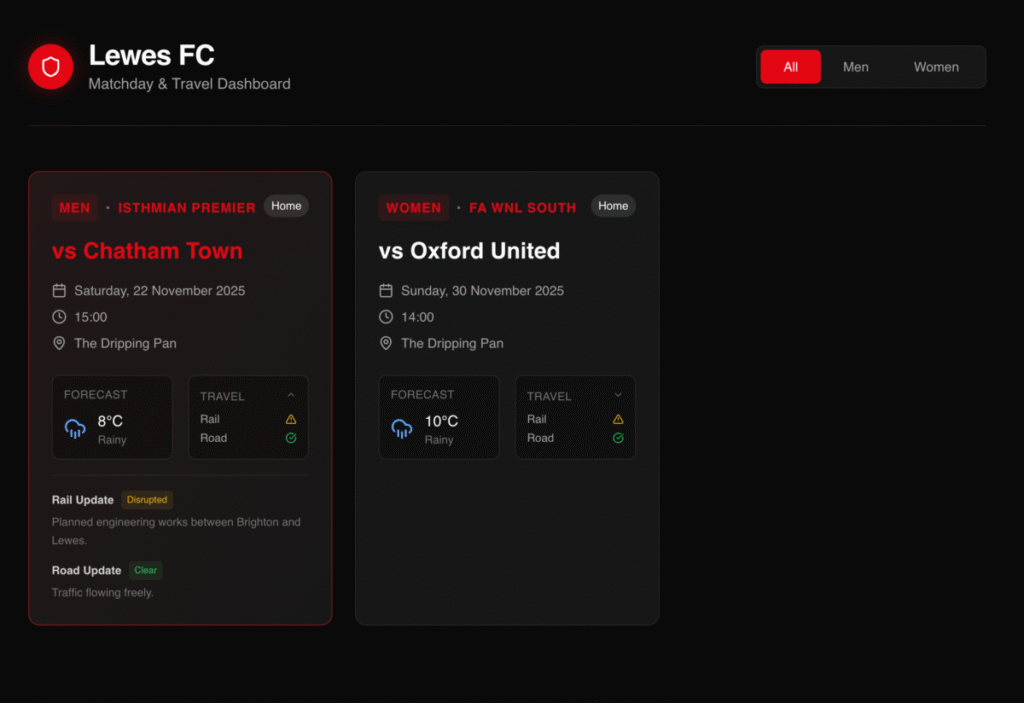
Again, you can see the emphasis on visual design, with the AI using a modern card-style design.
When asked to design the dashboard, the AI created a checklist of all the tasks it would need to do to complete the app, and showed previews of the UI in the “walkthrough” tab, so you can see what the app looks like and the impact of any changes you’ve requested. The AI opens an instance of the Chrome browser to test apps, taking screenshots from the browser to show the user in Antigravity.
For those who prefer to code themselves, all the code is available for manual editing, with all the usual syntax highlighting and auto-complete features you’d expect from a modern IDE.
Related articles
About The Author

Barry Collins
NEXT UP


