Trending Topics

 Trending
Why is my TalkTalk router flashing orange?

The lights on your router aren’t something you should care too much about – until things go wrong. TalkTalk’s latest router, the Wi-Fi Hub, has a single LED light that displays the status of your internet connection. It’s usually a solid white, which means all is well and you can relax and enjoy the web. However, if your TalkTalk router is flashing orange, things may not be so rosy. So let’s take a look at what the flashing orange light means and how you can fix it.
What does the flashing orange light mean on my TalkTalk router?
Your TalkTalk Wi-Fi Hub can flash orange in two different ways:
- If your router light is blinking orange, the Wi-Fi Hub is starting up. This could be because you’ve restarted it or you’ve had a short loss of power. In either case, leaving the router to reboot should get things working again. However, if the router continues to restart by itself, then it is likely faulty, and you’d be best contacting TalkTalk for a replacement.
- A flashing orange and white light on your TalkTalk box means it’s trying to connect to the internet. If your router continually blinks orange and white, then you have a connection problem. Check out the steps below to help solve the issue.
Click here if your TalkTalk router is displaying another colour light to find out what that means.
How do I fix the flashing orange light on my TalkTalk router?
There are several things you can do to resolve the flashing orange light issue on your router. Try each in turn and you’ll hopefully have internet access again soon.
Restart your TalkTalk Wi-Fi Hub
To restart the router:
- Press the small button next to the where the power cord connects to your TalkTalk router. Leave it for around ten seconds and then press it again. If you can’t find the button, removing the power cord or turning off the router at the electrical socket will have the same effect.
- Wait for the router to restart. It usually takes around ten minutes, and the LED light should eventually turn a solid white. If it does, check your connection and you’ll hopefully be back on the internet. If not, then go to the next step.
Check for a TalkTalk service outage
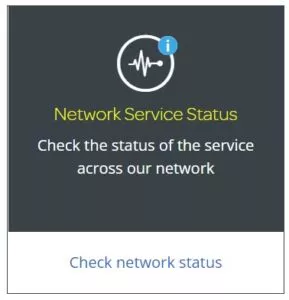
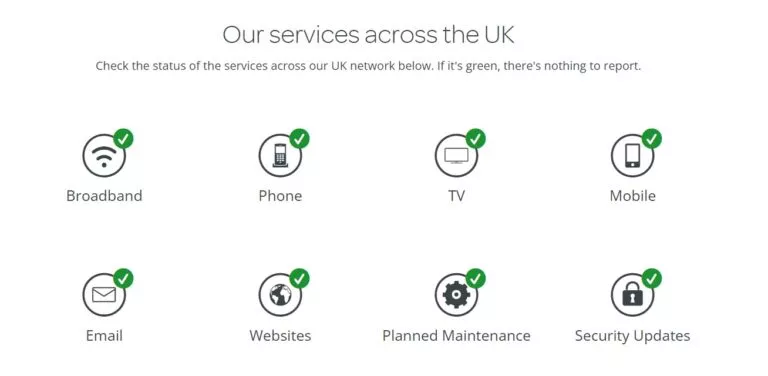
An external issue often causes the orange light to flash on your TalkTalk router, such as a problem with the telephone line or the exchange. To quickly check if there could be an outage in your area, go to the TalkTalk Service Status website. Log into your TalkTalk account, and then click on the Check network status link, as shown below.
If there are issues in your area, it’s best to wait and keep checking the site for updates. If it doesn’t show any problems, then it’s time to get in touch with TalkTalk.
Contact TalkTalk
If a blinking orange light is present (and the device hasn’t recently been restarted, i.e. isn’t still starting up), TalkTalk suggests that customers make sure the modem cable is plugged in properly if they’re using a copper-based FTTC service, as there could be a physical cause for the issue.
If you’re still getting a flashing orange light on your TalkTalk router, then your next step would be to contact TalkTalk support. They can check your line for faults and also replace your router if they believe it to be faulty.
Visit this TalkTalk website page for the support telephone number, live chat or details about text relay if you’re hard of hearing.
More explainers
About The Author

Mark Parvin
NEXT UP


