Trending Topics

 Trending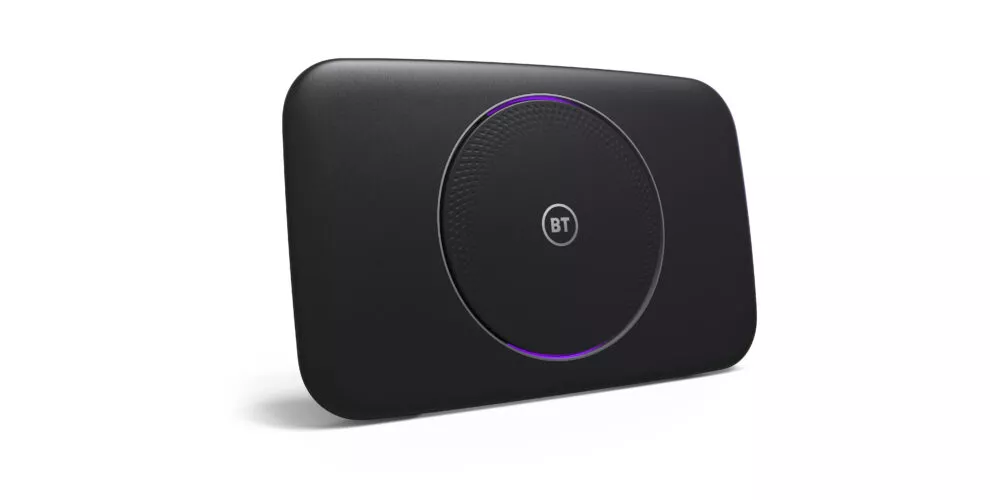
How do you fix a flashing purple light on a BT Hub?

Is there a flashing purple light on your BT Hub? That’s not normally a great sign and – depending on which Hub you have – might mean you don’t have any internet access. Find out how to fix your flashing purple light problem here.
If you’re seeing different coloured lights on your BT Hub, this article will explain what they mean.
What does a flashing purple light on a BT Hub mean?
If you’re using a BT Smart Hub, BT Smart Hub 2 or Ultrafast Smart Hub the flashing purple light means that the Hub is working but you don’t have any internet access. We’ll come on to ways of fixing that problem in a minute.
If you have a BT Smart Hub 2 and you’re seeing a purple light that isn’t flashing, then your Hub is connected to EE’s backup mobile network, but there’s a problem with you main fixed-line broadband connection. Again, we’ll explore potential fixes for this below, but at least you’ve still got some service, even if it won’t be as fast!
How to fix the flashing purple light on a BT Hub
Check the broadband cable
The flashing purple light suggests you’ve got no broadband connection at all, so the first thing to do is check everything is plugged in properly.
On the back of your Smart Hub, you should see a grey socket with the word Broadband above it. Check the black cable with the grey connectors on the end is plugged into that socket. The connector needs to be firmly pushed into that socket, until you hear a click. Remove and re-insert the cable to check its properly seated.
Likewise, check the black cable is still plugged into the socket on your wall. It’s not unheard of for pets to get tangled in the wiring and yank sockets out of the wall, for example.
Wait for activation
If you’ve only just switched to BT Broadband, it’s possible your service hasn’t been activated yet and that’s why you’re seeing the flashing purple light. Check the emails from BT or give them a call to find out exactly when you’re due to be switched on.
Unplug the modem
If you’ve recently upgraded to a BT Smart Hub from an older device, it’s also worth noting that you no longer need to use the separate modem that was provided with some of those older boxes. Just connect the Smart Hub directly to the phone socket and that should make your flashing purple light problem go away.
Check for a BT service outage
If everything is plugged in properly and you’ve had BT Broadband up and running smoothly before, it’s possible there’s a problem at BT’s end. Check the BT Service Status page. If you enter your landline number that should tell you if there’s a problem with the network. It’s worth checking the BT Twitter account for news of any widespread outages too.
Contact BT support
If that still hasn’t solved your problem, then it’s time to get in touch with BT’s technical support team. There are various methods to contact BT support here but if you just want to speak with someone, either dial 150 from a BT phone or 0800 800 150 from any UK phone.
I’m fed up with the BT Hub – can I use my own router with BT Broadband?
Yes, you can use your own router on BT Broadband, but there are reasons why this might not be the best option. First, BT won’t offer technical support with third-party routers, so if something goes wrong with the new router you’re on your own. You’ll also need a modem to go with the router, and that modem will need to be compatible with whichever flavour of BT Broadband you’re receiving. For example, if you’re on GFAST connection, you might struggle to find a compatible modem. It’s worth having a chat with BT’s support team to see what modem they recommend before you go down this route.
More explainers
About The Author

TechFinitive staff
NEXT UP


