Trending Topics

 Trending
How to use Claude Design: Create websites and presentations in minutes

Claude is the hottest AI service of 2026 and the recently launched Claude Design adds another string to its bow.
Claude Design is brilliant at taking your company’s brand assets and spitting out prototypes of new websites and apps. It even delivers slick slideshows. If you’ve ever tried to get ChatGPT to create a presentation, you’ll know how big an achievement that is.
Here, we’re going to show you how to get started with Claude Design. We’ll reveal how to create a “Design System” (a collection of your brand assets), prototype designs for a new website and a pro-grade presentation.
How to create a Claude Design System
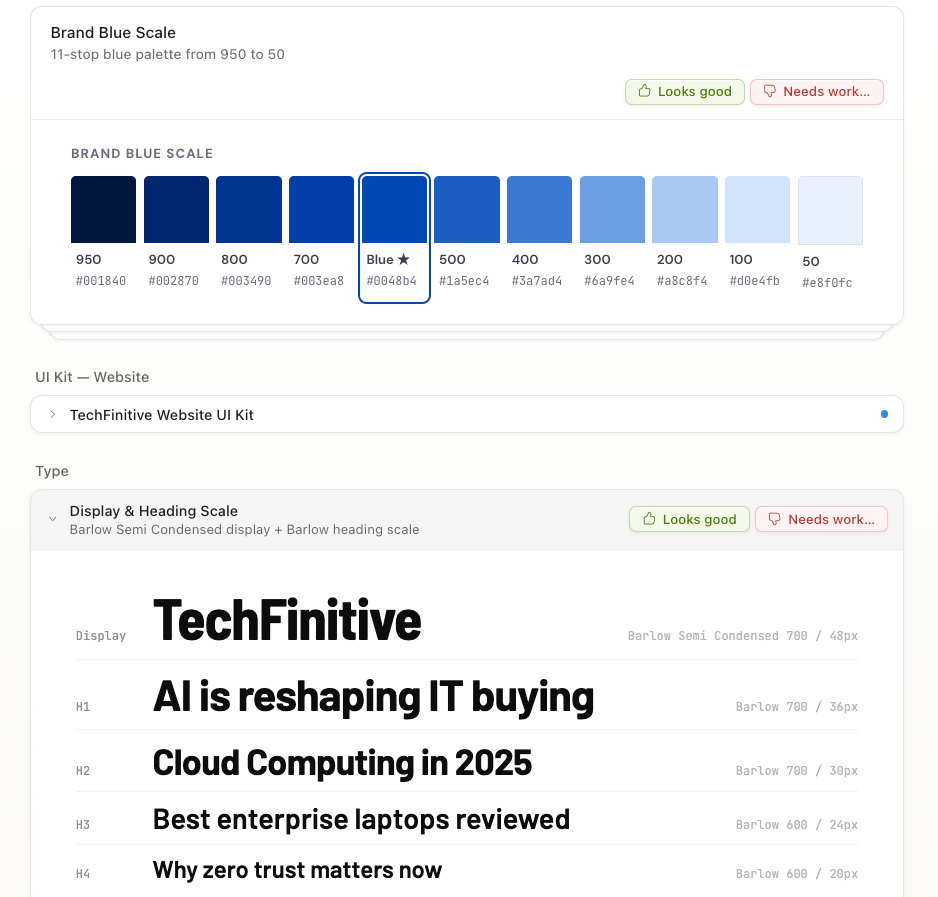
Before you create anything such as websites, apps or slideshows, you’ll need to create a Design System. That is, a collection of brand assets that allows the AI to create content in accordance with your brand’s look-and-feel.
Before you start, it’s wise to collate brand assets such as logos, fonts and colour swatches.
You should be prompted to create a Design System the first time you use Claude Design (only available on the web, not the Claude apps at the time of writing). If not, you’ll find the option to do so under the Design Systems tab.
Here you’ll be asked to fill out a short form which asks for your company’s name and mission statement; rob that from the About Us page of your website. It also asks for a link to any GitHub repo or folder you might have containing code for your products. It then invites you to upload any Figma files you may have, or other brand assets such as logos and fonts.
Don’t sweat if you can’t immediately lay your hands on any of this stuff. I didn’t have TechFinitive fonts to hand, but pointed the AI to the website using the notes section at the bottom of the form. It then identified the brand fonts (or very close approximations to them).
Once you’ve submitted the form, Claude will create your Design System. You’ll see a preview of the fonts, colour schemes etc before completion, so you can correct any mistakes.
Prototype a new website design with Claude Design
So, let’s say you want to give your company’s website a refresh. Normally you’d call in a web designer, run through ideas and wait for them to come back with designs or wireframes. Now you can do all this with the AI.
With our TechFinitive Design System already created and selected, we prompt Claude Design with the following:
Can you create a mock-up for a new design for the website. We want to take inspiration from the Financial Times website (ft.com), with the ability to highlight different types of story on the homepage, with a high-end look that's attractive to readers and advertisers alike.
Claude came back with a form asking us further questions about the design, such as which elements of the FT design resonate most, which background/colour treatment we prefer, and which typography direction we want the design to follow. We could choose from multiple answers for each of these questions or leave it to the AI to decide.
Once you’ve answered those questions it’s pop to the coffee shop time, as the AI takes 10-20 minutes to create prototype designs of your new website. You can choose how many different designs it should create, with the default being two.
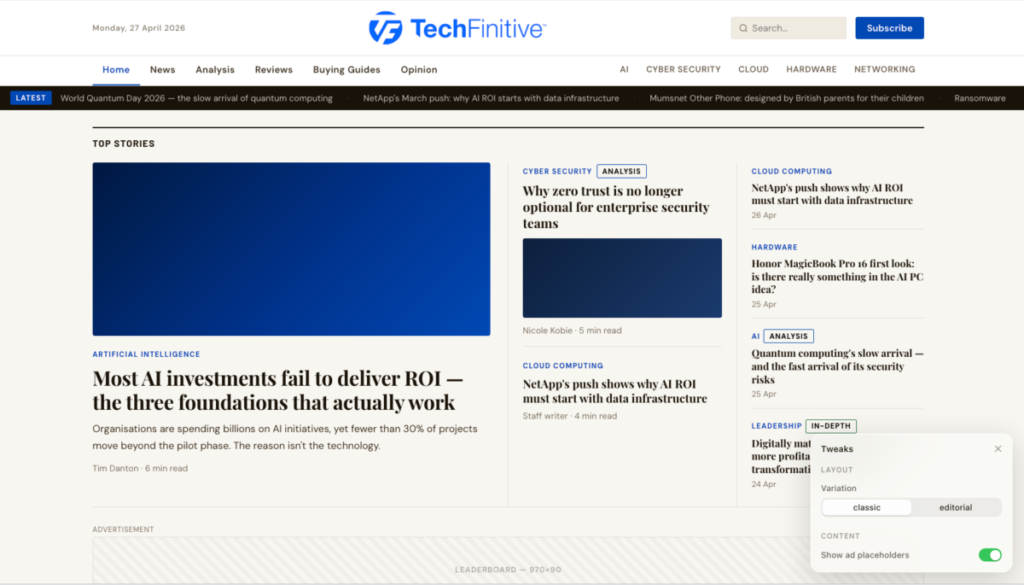
Once completed, it will show you a windowed preview of the new designs. A Tweaks pop-up menu should appear in the bottom-right of the screen that allows you to flick between the different design options, in our case “classic” and “editorial”. It also let us toggle off placeholders for ad slots, because it knows this is an editorial site that partly relies on ad income.

The screenshot above only shows the “above the fold” design of the website, but Claude designs a full-length home page. It uses headlines typical of those you might find on the site as well as real writer bylines. There are no images, just coloured placeholders, but it’s more than enough to get a feel for the design.
As you can see, the treatment offered by Claude definitely takes inspiration from the FT homepage.

It has a tinted background, a news ticker running along the top and a similar nav bar and layout of the headline elements. But this isn’t an outright copy. It hasn’t used our fonts, but in the design questionnaire we left the typography selection up to the AI.
Claude Design gives you the option to add comments to the design, draw on top of it (to highlight elements you want to move) or edit individual elements. If we click the edit button and click on the lead headline, for instance, we can change the font, size, colour, tracking, size, opacity, padding and several other elements.
The designs can also be shared with colleagues who are Claude subscribers. If not, you can export the site as HTML or as a PDF for non-subscribers to review.
You can also give feedback to Claude directly and have it amend the design, much as you would a human designer. For example, in the two designs the AI created for us, I preferred the slightly lighter tint of the second design, so I prompted Claude Design with:
I prefer the slightly lighter background of the Editorial design, but the look of the Classic design. Can you amend?
And it changed the colour accordingly. Then I asked:
Make the TechFinitive brand header at the top bigger. It's getting lost at the moment.
And it boosted the size of the logo, each time giving a refreshed design to look at.
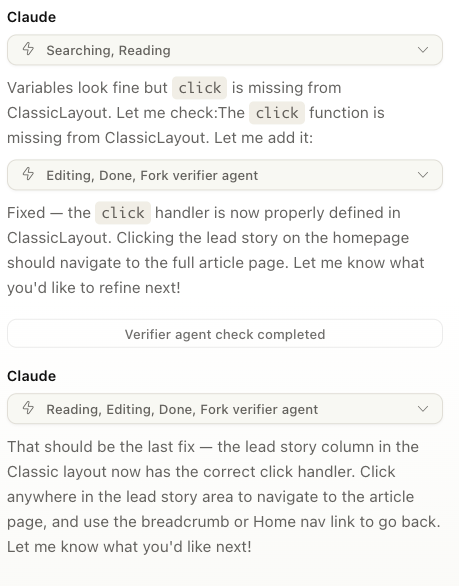
The AI also offered to create an article page. It did this by making the top article on the homepage clickable… or at least that’s what it claimed. Just as I was about to complain that the clickable link didn’t work, the AI’s own “verifier agent” kicked in, realised the headline wasn’t clickable and fixed it at the second attempt. All without any intervention from me. So not only is the AI doing design work, it’s doing QA too!
I’ll admit the FT-themed redesign of our website isn’t the most visually impressive piece of web design ever, but that’s not to say Claude Design isn’t capable of producing eye candy. See the video embedded below for an example of the type of site it can create. By the way, these aren’t official Claude demos, but from third-party designers.
Create a presentation with Claude Design
So, we’re about to relaunch our website. Now we want to take the design out to potential investors and advertisers to generate buzz about our relaunch. We need a slide deck to take with us and Claude Design can help.
I selected Slide Deck from the left-hand menu on the Claude Design homepage, made sure our TechFinitive Design System was selected to ensure it used all the correct brand assets, and then entered the following prompt:
I want you to create a professional slide deck used for pitches to advertisers and potential investors, showcasing our forthcoming site redesign. Use the attached HTML to give the clients/investors a preview of the new site look and the attached spreadsheet to share financial and traffic metrics with the audience.
Claude Design gives you the ability to upload files, so I shared the HTML preview of the site design Claude created earlier. I also added a spreadsheet containing fictional financial/traffic data for TechFinitive. (Fear not, the company earns far more than the pitiful figures in my dummy spreadsheet.)
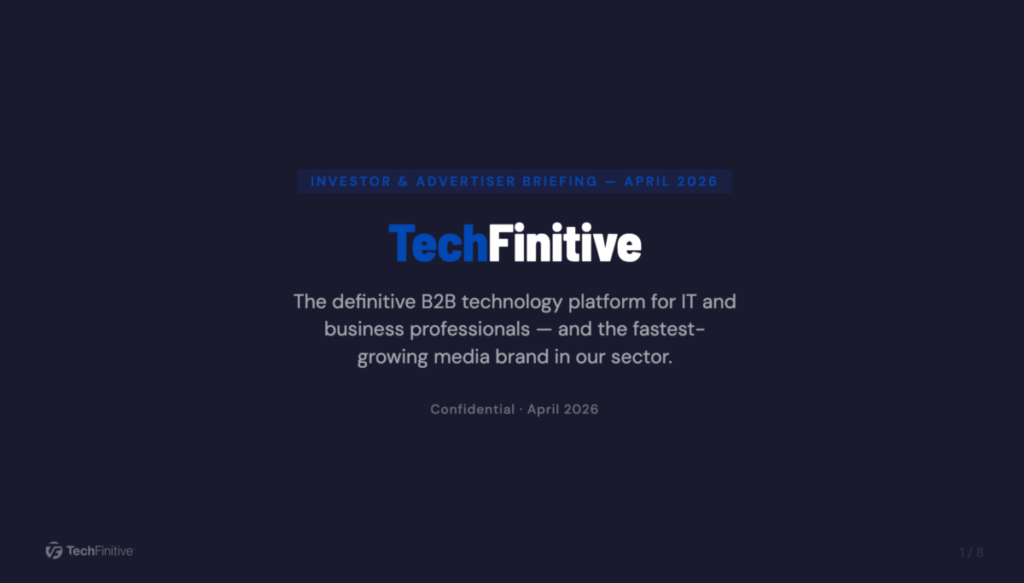
Within ten minutes, it had created an eight-slide deck, complete with presenter notes, that looked almost good enough to take straight out to meetings.
It included company background details that the AI must have pulled from the TechFinitive website, graphs showing the company’s sterling financial performance and other commercial information that advertisers/investors would want to see. It did get a couple of figures wrong and a screengrab of the new website design was cropped in so tightly that it looked fuzzy, but both of those could be easily corrected.
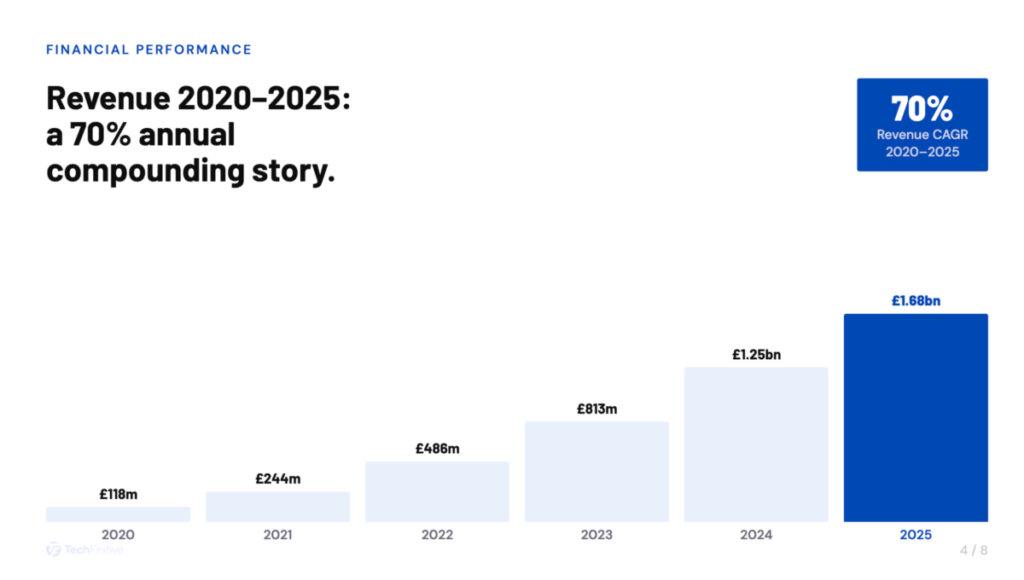

The process wasn’t flawless. For example, when I exported the presentation to PowerPoint some of the typography went awry. Then again, PowerPoint for Mac is a hairy cheeseball at the best of times. I also spotted punctuation inconsistencies I would correct before putting the presentation in front of clients.
But let’s not be too harsh. Claude Design built a presentation that was a few tweaks away from being usable. All from a single prompt, without any refinement.
Claude Design status and usage
Claude Design is currently in “research preview” and, as mentioned, isn’t yet built into the apps. It’s only available via the website. Yet, for a first release, it’s one of the most impressive AI features I’ve seen from any of the major providers and underlines why people may be switching to Claude from OpenAI.
Alas, the influx of new users has put strain on Anthropic’s infrastructure and I didn’t have to use Claude Design much before I almost hit usage limits. Doing little more than I’ve outlined above took me to 87% of my weekly Claude Design quota on the Pro plan. That feels restrictive, although Claude Design usage doesn’t count towards your other limits, at least for now.
Related articles
About The Author

Barry Collins
NEXT UP


