It’s not a great feeling when you suddenly realise you’ve hit your email send button too soon. Perhaps you forgot to include a link or copied in the wrong person by accident. Whatever the reason, wouldn’t it be great if you could undo your mistake before your message goes out to the world? Fortunately, you can recall a Gmail email. Here’s how.
How do I recall a Gmail email using webmail?
While some other email apps may include a recall option, this article will focus on the Gmail recall feature, which is available through webmail and the Gmail app on your phone or tablet.
If you send an email using Gmail in a web browser, the option to recall your message appears just after you click the Send button. A box appears on the bottom left of the page informing you that your email has gone, and giving you the option to Undo or View the message.
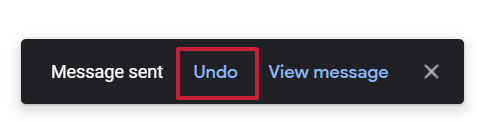
If you click on Undo before the box disappears, Gmail will first let you know it has recalled the message.
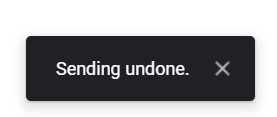
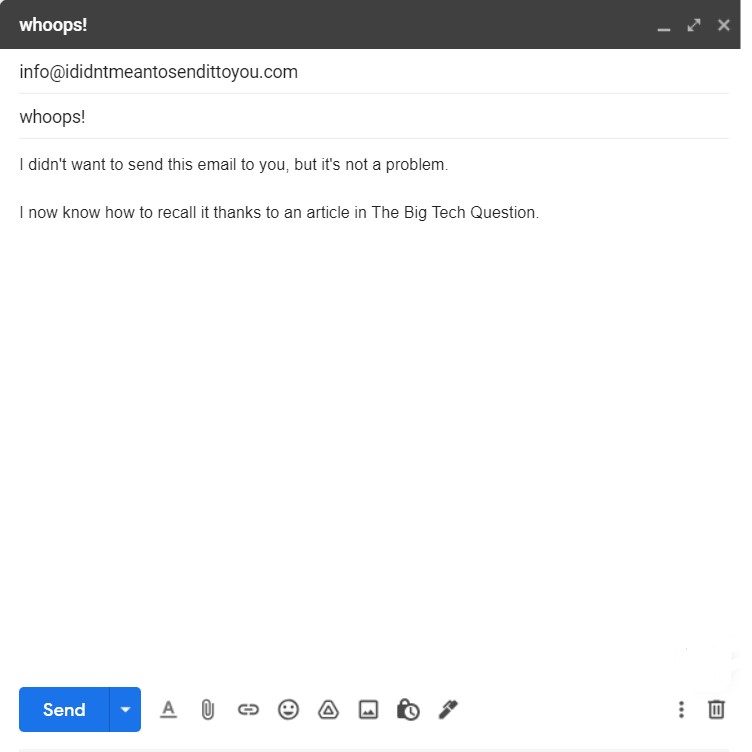
Your recalled email will then re-appear for you to amend or delete.
The Undo box disappeared too quickly! Can I change how long I have to recall my email?
The default time you have to rectify your error and recall your email is five seconds. If you think you’ll need more time to realise your mistake, then it’s possible to increase this limit.
If you want to give yourself more time to recall your email, first click on the settings icon in the top right of the page and then select See all settings.
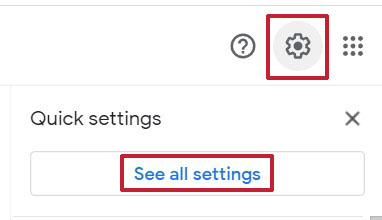
When the setting menu appears, click the General tab from the top of the page. Once selected, look down the list to the Undo Send option and, using the drop-down menu, choose how long you would like the recall box to appear.
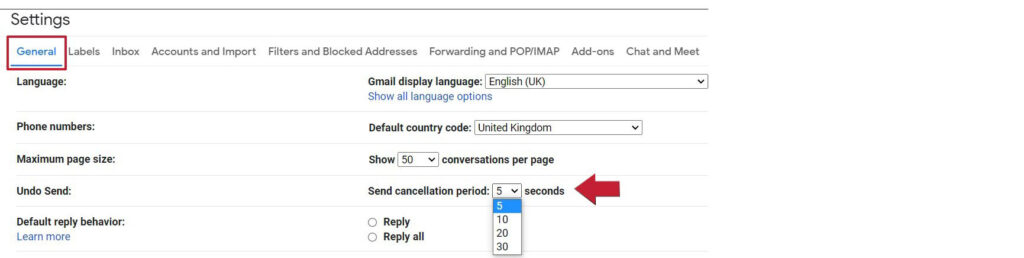
Now scroll down to the bottom of the page and click on the Save Changes button.
The recall option will now be available for the time limit you set.
How do I recall a Gmail email using the Gmail app?
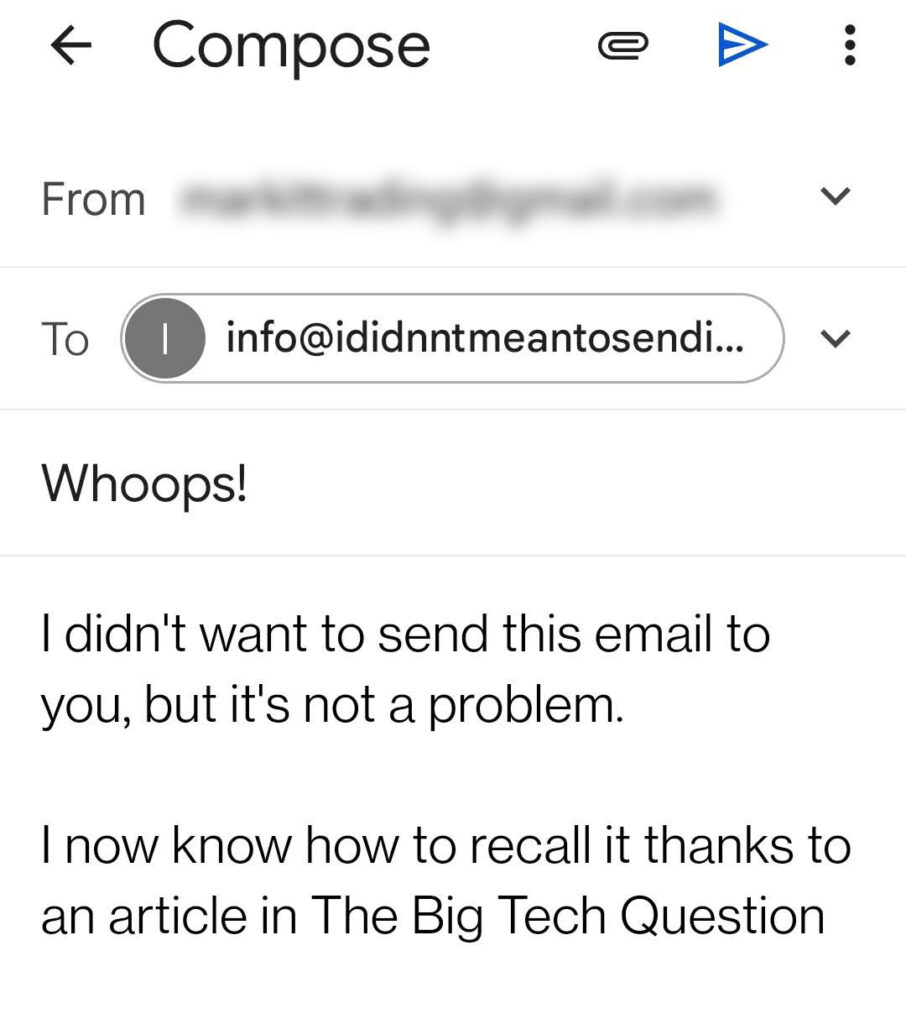
If you are using the Gmail app on your phone or tablet, you can also recall your message. However, at the time of writing, there’s no way to extend the time limit on the app, so you’ll only have five seconds to recall your message before it’s gone.
The option to recall your email on the Gmail app appears just after you tap the Send icon. The recall box appears at the bottom of the app, informing you that your message has gone, and offering you the option to Undo.

If you tap Undo before the box disappears, your email will re-appear and you can amend or delete it as needed.
Lee is a long-time advocate for sustainability within IT, with a fierce passion for everyone to have a right to repair. In his day job, Lee runs an award winning computer repair business and is also a contributing editor and podcaster for PC Pro.
To provide the best experiences, we and our partners use technologies like cookies to store and/or access device information. Consenting to these technologies will allow us and our partners to process personal data such as browsing behavior or unique IDs on this site and show (non-) personalized ads. Not consenting or withdrawing consent, may adversely affect certain features and functions.
Click below to consent to the above or make granular choices. Your choices will be applied to this site only. You can change your settings at any time, including withdrawing your consent, by using the toggles on the Cookie Policy, or by clicking on the manage consent button at the bottom of the screen.
Functional
Always active
The technical storage or access is strictly necessary for the legitimate purpose of enabling the use of a specific service explicitly requested by the subscriber or user, or for the sole purpose of carrying out the transmission of a communication over an electronic communications network.
Preferences
The technical storage or access is necessary for the legitimate purpose of storing preferences that are not requested by the subscriber or user.
Statistics
The technical storage or access that is used exclusively for statistical purposes.The technical storage or access that is used exclusively for anonymous statistical purposes. Without a subpoena, voluntary compliance on the part of your Internet Service Provider, or additional records from a third party, information stored or retrieved for this purpose alone cannot usually be used to identify you.
Marketing
The technical storage or access is required to create user profiles to send advertising, or to track the user on a website or across several websites for similar marketing purposes.
To provide the best experiences, we use technologies like cookies to store and/or access device information. Consenting to these technologies will allow us to process data such as browsing behaviour or unique IDs on this site. Not consenting or withdrawing consent, may adversely affect certain features and functions.
Functional
Always active
The technical storage or access is strictly necessary for the legitimate purpose of enabling the use of a specific service explicitly requested by the subscriber or user, or for the sole purpose of carrying out the transmission of a communication over an electronic communications network.
Preferences
The technical storage or access is necessary for the legitimate purpose of storing preferences that are not requested by the subscriber or user.
Statistics
The technical storage or access that is used exclusively for statistical purposes.The technical storage or access that is used exclusively for anonymous statistical purposes. Without a subpoena, voluntary compliance on the part of your Internet Service Provider, or additional records from a third party, information stored or retrieved for this purpose alone cannot usually be used to identify you.
Marketing
The technical storage or access is required to create user profiles to send advertising, or to track the user on a website or across several websites for similar marketing purposes.