Trending Topics

 Trending
First look review: Lenovo ThinkPad X1 Carbon Gen 14 complete with Space Frame!

When Lenovo introduced the ThinkPad X1 Carbon in 2012, it was a revelation. Slim, stylish but also powerful, it jumped to the top of many executives’ wishlist – and has stayed there ever since.
Lenovo has iterated the design each year, which is why we’re now on Gen 14, and some years those upgrades are frankly a little “blah”. New processor, a few grams shaved off its weight, fractionally slimmer frame, who cares. This year is different.
“I actually think this is the most significant X1 Carbon release since the first edition,” said Hayley Barnard, a ThinkPad portfolio manager.
As Hayley explains in her full introduction to the ThinkPad X1 Carbon Gen 14 below, the reason she’s so excited is what Lenovo is calling its new Space Frame design.
This rethink has managed to save space whilst making the laptop far more repairable. It’s now possible for end users to replace the keyboard, which would have been unthinkable before.
What’s the ThinkPad X1 Carbon Gen 14 like to use?
This was still an early sample, with no opportunity for testing, but I can safely say that you’ll enjoy using the Gen 14 version of the X1 Carbon just as much as the laptops that came before it.
When I picked it up, I still noticed that super lightness that I’ve come to expect from X1 Carbon systems. According to Lenovo it creeps in just under the 1kg mark.
Naturally, you’re still getting a gorgeous 14in screen. It will come with different options, but Lenovo doesn’t mention Tandem OLED which is what I’d really like to see. This technology isn’t only brighter than standard OLED tech, but also provides better battery life.
Where Lenovo still stands out from all rivals is its keyboard. This is partially due to the impressive amount of travel it packs despite the slim frame, but also because it provides so much spacing around the keys. It spends the extra cash required to separate out the cursors, too, while all the function keys are grouped sensibly.
You can choose between a normal ThinkPad trackpad, with physical buttons, or a haptic version. The trademark ThinkPad TrackPoint is present as always.
I also like the fact that Lenovo sticks with HDMI and USB-A connectors. They may be old hat, but boy do they come in useful. Plus a trio of USB-C ports means that it’s forward thinking in the areas that matter.
What’s on the inside of the Lenovo ThinkPad X1 Carbon Gen 14
Inside, Lenovo predictably sticks with Intel, relying on its all-new Panther Lake Core Ultra X7 Series 3 processors. I’m expecting these to deliver excellent performance with great power efficiency; even with a modest 58Wh battery inside, I’d expect the X1 Carbon Gen 14 to survive a demanding working day.
The amount of graphics cores will vary depending upon the exact CPU you choose, with up to 12 of Intel’s new Arc accelerators on offer. From all the demos I’ve seen, I’d expect smooth gaming and acceleration in creative apps that take advantage of Intel’s Xe cores.
There’s a good amount of AI acceleration on offer too, with the NPU rated up to 50 TOPs and easily passing the threshold for Copilot+ PC status.
Memory support goes up to 64GB (all embedded into the CPU package), with Lenovo offering up to 2TB of PCIe Gen 5 storage.
Lenovo ThinkPad X1 Carbon Gen 14 photos from CES 2026

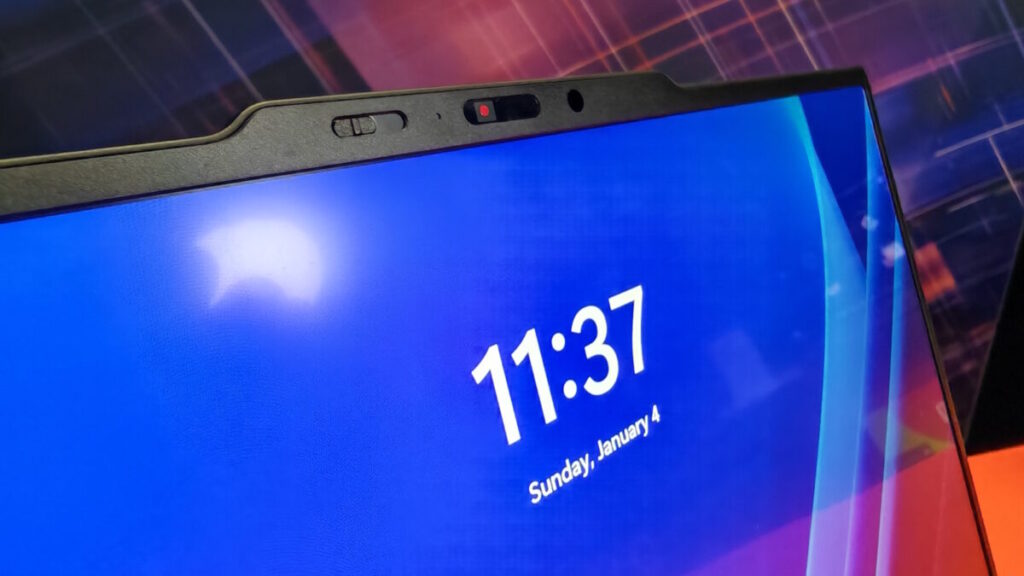


Early thoughts on the Lenovo ThinkPad X1 Carbon Gen 14
As ever, the Lenovo ThinkPad X1 Carbon is designed for those with generous budgets. The US price starts at $1,999, with availability slated from March, and once you start adding the options I expect most people to pay around $2,500.
There’s always a slight danger of opting for a first generation version of any technology, and here I mean the Space Frame design. It looks impressive, but it hasn’t been put to the test in the field. I would expect the ThinkPad X1 Carbon Gen 14 to give you many years of great service, but can’t be quite as confident as I would be with a Gen 13 device.
However, I absolutely love the fact that Lenovo is taking repairability so seriously. And that the absolute repair experts at iFixit gave it such a high rating of 9/10. We now must wait and see that Lenovo backs this up with parts availability, which hasn’t been a strength up to this point.
It walks away with one of our prized awards for Best of CES 2026. If only everyone showed the same commitment to repair as Lenovo.
About The Author

Tim Danton
NEXT UP


