Trending Topics

 Trending
Logitech launches Auto Book and Release tool to tackle frustration of empty but booked meeting rooms

Logitech has launched a suite of office tools to solve annoying problems associated with booking meeting rooms. The key tool is Auto Book and Release, which allows you to jump into empty rooms and automatically removes reservations when people don’t show up.
This uses the cameras in Logitech’s range of Rally Bar and Rally Bar Mini products, and will work with Logitech’s room-booking software or third-party offerings. These include Appspace, Envoy, Microsoft, Ricoh Spaces, Robin and Zoom.
“With hybrid work so pervasive, the office can feel like the Wild West,” said Henry Levak, VP of Product, Logitech for Business, in a press release. “Logitech’s smart office tools are the not-so-secret weapon to bring predictability and detailed insights into these dynamic work environments.”
So that’s the promise. Let’s dig into the details, courtesy of a pre-briefing session I attended.
Introducing Logitech’s Auto Book and Release
First, Craig Ishii, Logitech’s Head of Product Marketing, Software and Services, ran through the scenarios that Auto Release aims to tackle.
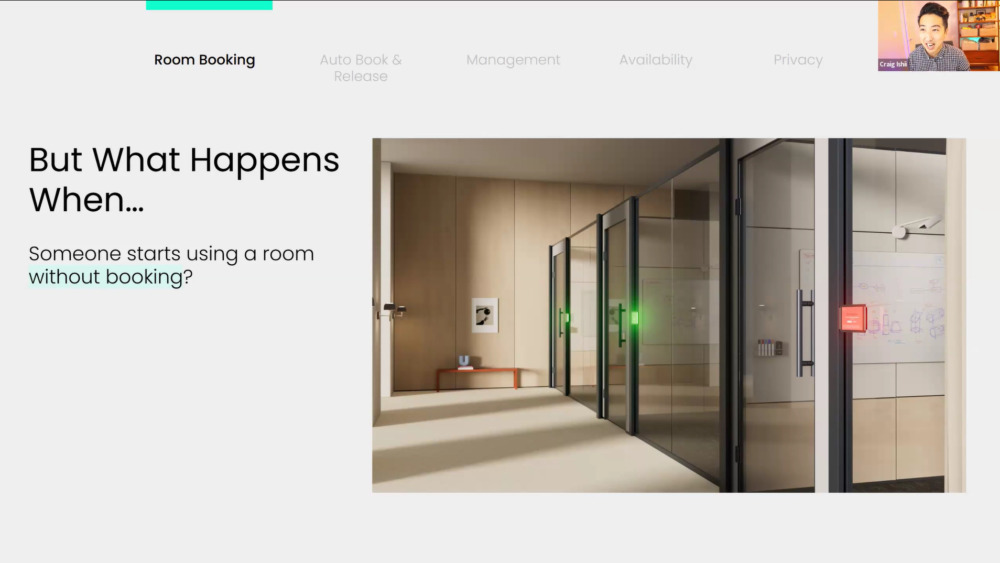
“There are a few things that happen in any scenario when room booking is happening at a company,” Craig said. “Number one is, what happens if Layla walks into a room and she doesn’t have the room booked. So you can see here from the image, we’ve got one room that obviously has a booking, and two that [can be] taken.”
“She’s in a rush. She has 15 seconds to get to her next meeting. She just walks and says, like, I don’t have time to make a booking. What happens if she just walks in the room and starts using it?”

“The next question is, what if Reed books a room and then doesn’t show up? Now, all of a sudden, we have this room that says it’s booked for him. I can’t use it, but he’s not even there.”
“And then what happens if Reed and Layla book a recurring meeting every Tuesday at 10 am… and they stop showing up,” he asked. “So then that means, for eternity, that room for every single week is booked for an hour and someone can’t use it.”
You can probably see where this is going, but let’s carry on.
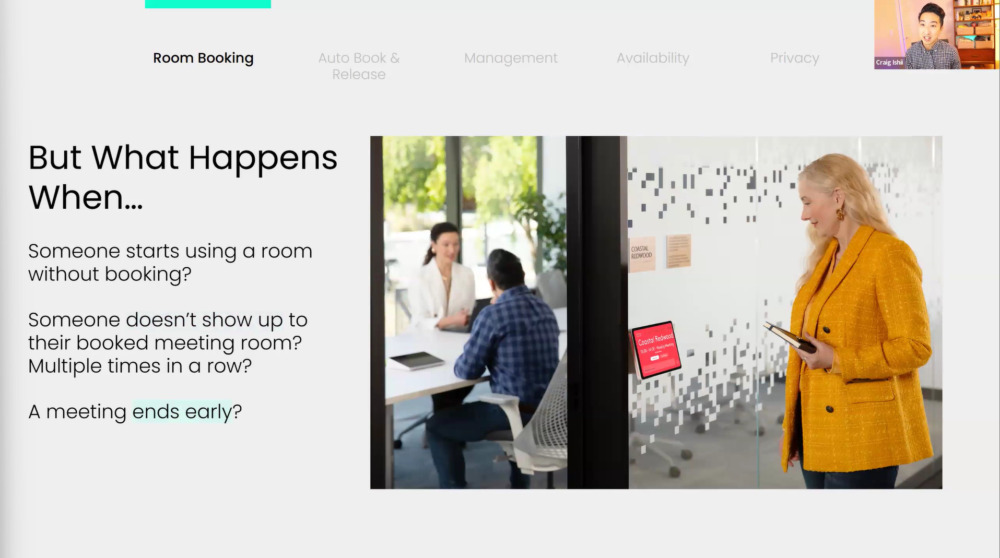
Back to Craig: “And then finally, what happens if reads in a meeting, it’s set for an hour, but it ends after 30 minutes. Again, the problem there is, I’ve got a room that’s booked for 30 minutes that I can’t use but nobody’s in there.”

And finally to the grand reveal!
“We have a feature that’s called Auto Book and Release that begins to address many of these problems automatically,” said Craig.
How Auto Book and Release works

The key to Auto Book and Release are the cameras built into the Rally Bar and Rally Bar Mini. And in particular, their ability to detect whether people are in the room or not. While it uses facial recognition to do this, Logitech says that no data is kept, so this isn’t a secret weapon for employee surveillance.
Reed Allen, Senior Product Manager at Logitech, went into a little more detail. “What we can actually do is detect that there is a group of people or an individual in that space, and automatically book that for them,” he said.
Then a couple of things happen. “Number one, it reserves that space so that others that are in the office looking for a room can quickly identify that now that that room is booked. This is also critical for the person in the room because it actually allows them to keep that space.” Handy if you need to take a quick, private call.
But it also stops another scenario. “You’re on there in a call, you may have that room booked on top of you, and you get that the scary knock on the glass or knock on the door with a group of people standing out there, and you’re like, ah, what do I do?” said Reed. “So to protect you from that, we can actually automatically book that when you’re in the space.”
In the opposing situation, where people don’t turn up, the team in charge of the room-booking software can set a time limit where it’s automatically released.
Cancelling bookings for recurring meetings
Then there’s the scourge of companies: recurring meetings that have stopped happening.
“In some calendars, when people are booking [a recurring meeting], they don’t realise that they actually book that out for the next year, or even the next five years. I had one customer who said ten years,” said Reed.
Set up Auto Release, however, and “if we have repeated no-shows… in that space multiple times in a row, we can actually release that room from that meeting series”. This also cuts down admin time, as admins don’t need to worry about doing this manually.

In fact, Reed was keen to emphasise, that the new tool should be as big a gift to the admin team as it is to end users. They can manage the rooms as they always have, either using Logitech Sync or a third-party system, but now much of the burden is removed. Plus, updates to calendars and schedulers happen automatically.

The final part of Logitech’s room-booking jigsaw is Logitech View. This, as shown above, offers a schematic view of available rooms. Naturally, it updates automatically too.
“We always want to give our customers options,” said Reed. “So these services, the services of Auto Book and Auto Release, are actually available with many different service providers, including Zoom, Microsoft, Teams, Google Workspace.”
Price and availability of Logitech Auto Book and Release
You don’t buy Logitech View, Auto Book or Auto Release individually. Instead, they’re all part of a service plan: either Logitech Essential or Logitech Select, priced at £154/$199 (UK/US) and £307/$399 per room per year.
If you already subscribe, you can start using Logitech View by updating your RoomMate to CollabOS 1.14, available now in Logitech Sync beta. Auto Book and Auto Release require a Rally Bar or Rally Bar Mini on CollabOS 1.13 or higher.
More on Logitech
About The Author

Tim Danton
NEXT UP


