Trending Topics

 Trending
Choosing a monitor for AI workflows: see the big picture

With AI tools improving every day, it’s time to take advantage. To see the big picture. It’s all too easy to focus on the main computing device – be that a desktop PC or notebook – and overlook the monitor, but that oversight may well slow you down and mean you don’t reap the full benefits of generative AI.
In the efficiency-based workplaces of today, time is money. The last thing you want is to be wasting time trying to keep on top of your tabs, jumping from one to another. You need more information at your fingertips, and the answer may be surprisingly simple. More monitor space.
Workers of today need a screen to better match the power of generative AI. That means plenty of working space to have all your tools visible at once, and it means having a monitor up to the task of displaying high-quality colour and definition.
CAD Designer
Take the example of a CAD designer working on a new engine. You’ve already sketched out your 2D model and you’re ready to work in CAD software. Generative AI and the latest tools make this process easier than ever before, but your old-style 24in monitor may still be slowing you down.
While 1,920 x 1,080 pixels was good enough years ago, today that’s like working with one eye closed. Modern monitors, especially widescreen options, double your workspace in an instant. Now, you can keep multiple models on-screen at a time without losing any detail.
When working in CAD software, you need to see the little things. Not just details, but accurate colours too; many monitors only show a fraction of the available colour gamut. These are displays you can trust to not skimp on the details.
CAD designers, though, are by no means the only ones who can benefit from a monitor upgrade.
Architecture
If there’s one workplace that can reap the rewards of AI, it’s architecture. Tasks that before would take hours or even days can now be reliably completed in seconds. Whether you’re looking to create a floorplan or render a design, the use of AI can speed the process up to mere seconds.
This means that architects are free to tinker with designs faster than ever before. Where small changes used to mean you have to re-do hours of work, AI workflows can allow you to view your alterations in near real-time. But to properly capture these new-found capabilities, a big, detailed monitor is essential.
Architects can utilise the full potential of a widescreen monitor to make adjustments and view the outcome all on one high-definition screen, allowing you the ability to truly perfect your vision with no time lost.
Data
It’s not only “creators” who might benefit from a monitor upgrade in this era of generative AI, though. Consider the job of data analysis. With the power of a modern monitor, eye fatigue is a problem of the past. Today’s eye-friendly technology can protect your eyes with a wider colour gamut than ever.
Thanks to generative AI, you can access more visualisations than ever before, and with a pro-quality monitor you can rely on its colour accuracy so you never misread that green as blue.
One of the clearest benefits of generative AI in data analysis is in its ability to decrease workload. When before you were restricted to work on a serial basis, trying approaches one after another, generative AI allows you to work in parallel.
This ability to work on multiple approaches simultaneously fits perfectly with the benefits of a larger screen. You can now visualise the data in any way you’d like, all side by side at any given time.
Download “The Future Workplace Calls For A Customized Monitor Approach” from Dell
This year, Dell Technologies commissioned Forrester Consulting to survey 300 senior business decision-makers and 300 knowledge workers based in APAC, Europe, and North America to explore trends as employees return to office and their need for external monitors. This study aims to understand how organizations can best equip their employees and workstations with external monitors to maximize productivity and employee experience (EX).
Finance
Traditionally, work in finance has been filled with huge Excel spreadsheets that took hours for you to dig through. Thankfully, due to innovations in AI, this process can be completed at record speeds.
While the process has indeed sped up, the work still requires long workdays checking through spreadsheets. You will still need to check for errors and anomalies.
In the past the intensity of this job led to a constant battle with eye strain, but thanks to modern monitors with blue-light reduction technology this is much less of an issue. And that means that you can work comfortably for longer (although regular breaks are still recommended). While this may sound like a small benefit, anyone who’s had to spend long hours on Excel will tell you what a lifesaver this is.
Especially if they’ve switched to widescreen monitors at the same time!
Alongside these benefits, AI’s use to be able to trawl through these spreadsheets of data is unparalleled. With the monitors available today you’re now able to keep AI-assisted visuals on screen next to your work, a powerful aid to any workload.
Which monitor to look for
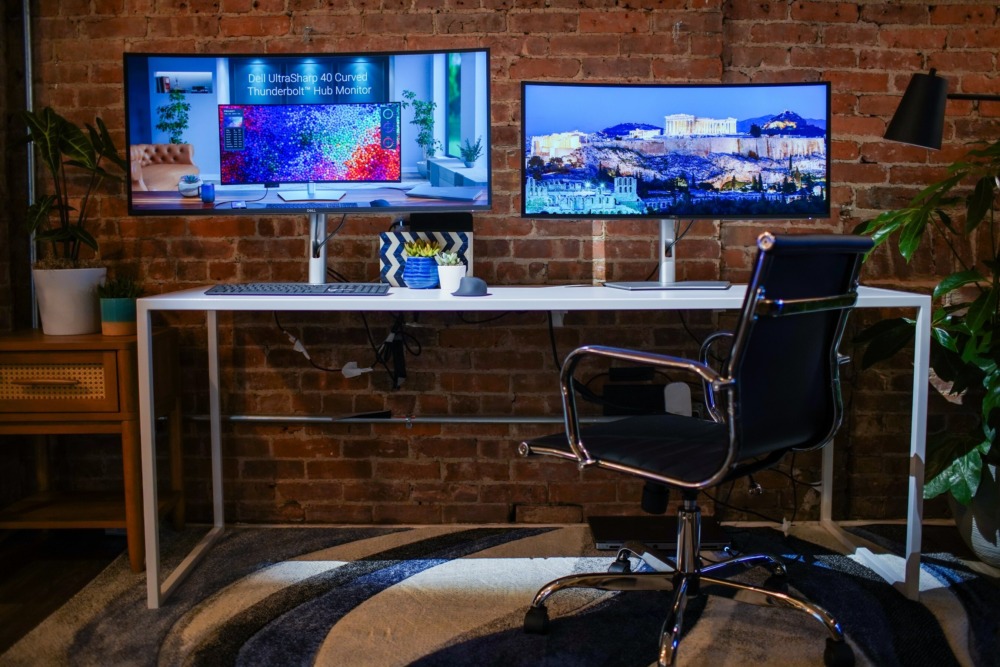
There is no one-size-fits-all monitor out there. But there certainly will be a modern monitor out there that will better match your workflow than the old-style screen you may be stuck with now. But we do recommend looking for monitors tailored for professionals, such as Dell’s UltraSharp range.
Everyone’s workflow is different, but there are some things that you should always be looking for. Large, colour-accurate and high-resolution screens are vital for any modern workload. And for lengthy workdays, eye-friendly technology is a must to keep you working at full capacity for longer.
Related articles
About The Author

Rowan Campbell
NEXT UP


