Trending Topics

 Trending
Boost small business productivity and happiness with one ingenious purchase

I’ll start by answering the obvious question: what is the ingenious purchase that can instantly boost small business productivity and happiness? The answer: a USB-C hub monitor. (If you don’t want to buy a new monitor, I have another suggestion below.)
I guarantee that any small business which invests in a USB-C hub monitor will never go back to a plain monitor. Not only are USB-C hub monitors incredibly affordable, but they make workers more productive and sweep away much of the mess found on desks. And yes, they may even bring a small smile to their lips.
Having just tested 22 monitors for the UK magazine PC Pro, I hope that my experience can help your small business invest wisely.
What is a USB-C hub monitor?

All USB-C hub monitors come with a USB-C connector that can power a connected laptop. The “hub” element varies. This could be as simple as a pair of USB-A ports so you can plug in external drives or a keyboard/mouse combo. But I’m increasingly seeing feature-packed USB-C hub monitors that include everything you can think of:
- Physical networking port
- Built-in webcam
- Speakers
- USB-C ports
- A second video output so you can “daisy chain” a second monitor
- Supporting management software
The networking port is something that can immediately help boost productivity. While wireless connections work 99% of the time, there’s nothing quite like a physical, wired connection to the internet in terms of reliability. And if you outsource IT support to a company, they may even be able to manage your laptops using this wired connection.
Sweeping away the mess on your desk
I’m a big fan of a clean desk, so anything that can help me manage the clutter is welcome. A USB-C hub monitor instantly helps due to the removal of the dedicated power supply. That can sit in your day bag instead.
One gotcha to look out for: some more powerful laptops require more than 65W, which is the baseline for modern USB-C hub monitors. If your current laptop power supply says it delivers more (this will be printed on the power supply), look for a monitor that matches this output.
Webcams and speakers are less crucial, and you may well find that the quality of such devices built into the USB-C hub monitor aren’t as good as your existing devices. But you may also be surprised, especially with some of the better 5W speakers.
Don’t ignore the built-in USB ports either. I’ve already mentioned keyboards, mice and external drives, but if you – or your staff – currently plug devices into your laptop’s USB ports then this is a great opportunity to move those connections. And probably hide them away at the rear of your monitor.
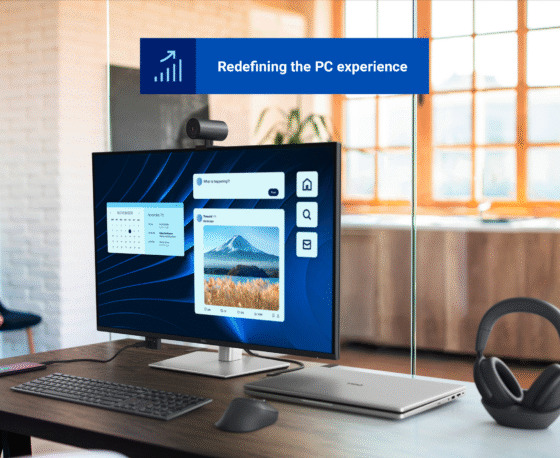
Dell Desk Solutions Guide
Dell offers a comprehensive portfolio of accessories designed and rigorously tested to seamlessly integrate with Dell PCs.
These solutions are built to simplify technology management and enhance productivity. With reliable performance and smooth compatibility, Dell accessories empower businesses to work more efficiently and achieve greater results.
Extra benefits of USB-C hub monitors
There are two other things that I’ve seen from the best USB-C monitors. One is support for daisy chaining, where the monitor includes a dedicated video output (rather than input). This means you only need one connection to your laptop but can use two displays side by side.

The other is software to replace the on-screen display. This can easily change settings such as brightness, avoiding the hassle of fiddly joysticks and buttons. It’s also a great way to find options that are often hidden away in nested menus. For example, playing around with the different colour presets.
I’ve seen software from various vendors – Eizo, HP, ViewSonic – but I’m a particular fan of the Dell Display and Peripheral Manager. This also allows you to take control of Dell keyboards, mice, webcams and more. And, as the image above shows, it comes with a way to arrange windows that goes well beyond what Windows offers.
What if I don’t want to replace my monitors at this point?
If you want to keep your small business’s current monitors, then you have two obvious choices. One is to buy a new USB-C hub monitor that can daisy chain to your existing monitor (it will need a DisplayPort input).
The other is to buy the next best thing to a USB-C hub monitor, which is a docking station. These come in various shapes and sizes, some even charging phones wirelessly. There are numerous options from third parties and, if you buy from a bigger company such as Dell, the supplier of your laptops.

About The Author

Tim Danton
NEXT UP


